
FordPass and Connected Services for Transit give you tools to remotely control and monitor your vehicle, like starting or stopping it, locking doors, and locating it in busy parking lots. You also get real-time vehicle health alerts, route optimization with live traffic updates, and maintenance scheduling. Additional support includes roadside assistance and concierge services. If you want to discover how these features can help your fleet or daily drives, keep exploring the options available.
Key Takeaways
- Remote vehicle control features like start, stop, lock, and unlock via the FordPass app.
- Real-time vehicle health monitoring, including tire pressure, fuel, and battery status alerts.
- Navigation support with live traffic updates and route optimization for efficient trip planning.
- Smartphone integration for trip review, remote access, and vehicle management from anywhere.
- Access to roadside assistance, concierge support, and software updates for enhanced safety and reliability.

Ever wondered how Ford Transit drivers can stay connected and in control on the go? With FordPass and the suite of connected services, you gain a powerful toolkit designed to enhance your driving experience, boost productivity, and provide peace of mind. These features are built to keep you linked to your vehicle wherever you are, making every trip smarter and more convenient. Whether you’re managing a fleet or driving solo, FordPass seamlessly integrates your smartphone with your Transit, giving you instant access to essential functions and real-time information.
At the core of these services is the FordPass app, which acts as your digital co-pilot. With it, you can remotely start or stop your vehicle, lock or open doors, and even locate your Transit in crowded parking lots. Imagine arriving at a busy job site and being able to start your van from across the lot—that’s the convenience FordPass offers. It also allows you to schedule vehicle maintenance, receive alerts for service needs, and access roadside assistance if ever you get stuck. These features guarantee your Transit stays in prime condition and reduces downtime, saving you time and money.
The connected services extend beyond simple remote commands. You get access to vehicle health alerts, which provide updates on tire pressure, fuel levels, battery status, and more. This proactive communication helps you prevent breakdowns and plan your trips more efficiently.
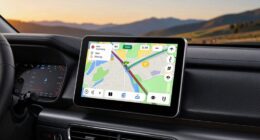
Plus, if your Transit is equipped with navigation, the system offers live traffic updates and route optimization, helping you avoid delays and get to your destination faster. This real-time data is especially valuable for fleet managers overseeing multiple vehicles, as it facilitates better route planning and vehicle dispatching.
Another significant benefit is the integration with your smartphone, allowing you to control and monitor your Transit without being next to it. You can review trip histories, set preferences, and even enable specific vehicle features remotely. This level of connectivity ensures you’re always in the driver’s seat, whether you’re on the road or managing your vehicle from afar.
Additionally, FordPass offers a concierge service, connecting you to assistance or support whenever needed. This extensive approach helps you stay focused on your work, knowing your vehicle is connected, secure, and responsive to your commands.
In essence, FordPass and connected services put you in command, offering a mix of convenience, safety, and efficiency. They transform your Ford Transit from a simple work vehicle into a smart, connected partner that adapts to your needs and keeps you moving forward effortlessly.
Furthermore, staying informed about your vehicle’s software quality assurance helps maintain optimal performance and reliability over time.
Frequently Asked Questions
How Do I Activate Fordpass and Connected Services on My Transit?
To activate FordPass and Connected Services on your Transit, first download the FordPass app on your smartphone.
Then, create or log into your account.
Turn on your vehicle and verify it’s in Park with the ignition on.
Follow the app prompts to add your vehicle by entering the VIN or scanning the QR code.
Once connected, you’ll be able to access features like remote start, vehicle location, and maintenance alerts.
Are There Additional Costs for Premium Connected Services?
Yes, there are additional costs for premium connected services. While some basic features come free with your Transit, you’ll need to pay a subscription fee for premium options like advanced navigation, vehicle health reports, or roadside assistance.
These costs vary depending on the plan you choose. You should review the specific service plans and pricing in your FordPass app or contact your dealer to understand the exact charges involved.
Can Multiple Users Access the Connected Services Simultaneously?
Like a well-coordinated crew in a classic heist, multiple users can access the connected services simultaneously, provided they’ve the right login credentials.
You and your team can monitor vehicle locations, check diagnostics, and manage fleet data at the same time.
Just make certain each user has their own account, so everyone stays in sync.
No need to worry about bottlenecks – it’s built for seamless, multi-user access.
What Security Measures Protect My Vehicle Data?
Ford implements robust security measures to protect your vehicle data, including encryption, secure data transmission, and regular software updates.
Access is controlled through secure login credentials, and your data is stored in compliance with industry standards.
These measures ensure only authorized users can access your information, giving you peace of mind.
Rest assured, Ford prioritizes your privacy and security, actively working to safeguard your vehicle data from unauthorized access.
How Do I Troubleshoot Connectivity Issues With Fordpass?
If you’re experiencing connectivity issues with FordPass, start by checking your vehicle’s Wi-Fi or cellular signal.
Confirm your smartphone’s Bluetooth and app are up to date, and restart both your phone and vehicle.
If problems persist, verify your subscription status and network settings.
Sometimes, a simple reinstall of the FordPass app or resetting your vehicle’s connectivity modules can resolve the issue quickly, restoring seamless service.
Conclusion
With FordPass and Connected Services, you’re steering into a future where your Transit feels like an extension of your own hand—smooth, responsive, and always at your command. Imagine the open road ahead, your vehicle seamlessly syncing with your plans, guiding you through every turn with confidence. It’s more than just technology; it’s your trusty co-pilot, turning everyday drives into effortless journeys. Embrace the connection, and let your Transit elevate every mile.