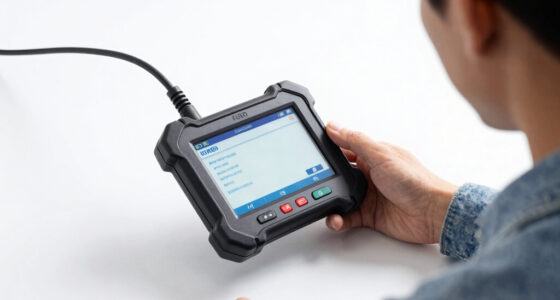
Automotive diagnostic scanners range from simple check-engine readers to advanced bidirectional tools that can test vehicle systems and run service functions. My best overall pick is the Innova 5610 for drivers who want broad diagnostics and active testing without stepping up to a large touchscreen tablet. The BlueDriver stands out for app-based access to enhanced vehicle codes, while the TOPDON ONE suits users who want a larger touchscreen and wider workshop-style capabilities. The main tradeoffs are system coverage, vehicle compatibility, ease of use, and how much diagnostic depth you actually need. Read on for the full breakdown and help matching a scanner to your car and repair plans.

Get business pricing on garage and car supplies
- Business-only prices and quantity discounts
- Tax-exempt purchasing
- Multiple users, one account, clear invoices
Complete the kit


Key Takeaways
- Bidirectional control separates the advanced picks from basic code readers: tools such as the Innova 5610, TOPDON ONE, and Autel MaxiCOM MK900BT can do more than display faults, but their extra capabilities matter most to users who can interpret active-test results.
- Broad coverage is not the same as universal compatibility: ABS, SRS, TPMS, resets, and special tests can vary by vehicle year, make, model, and system, so check the specific functions your car supports before buying.
- App-based convenience and standalone operation are different priorities: BlueDriver relies on a phone-based workflow, while handheld readers and touchscreen scanners provide their own display and controls.
- Entry-level scanners are useful when the job is narrow: the MOTOPOWER MP69033, ANCEL AD310, ANCEL AD410, and FOXWELL NT301 focus on code reading and related basic diagnostics rather than workshop-style service work.
- Reset-service counts do not tell the whole story: a longer list can look appealing, but vehicle support, clear instructions, update policies, and the diagnostics you will actually use matter more than the headline count.
| MOTOPOWER MP69033 OBD2 Code Reader and Diagnostic Scan Tool | 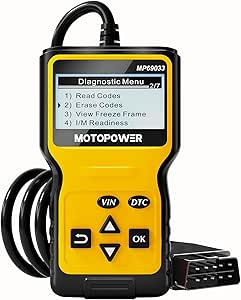 | Best for Broad OBD2 Protocol Support on a Basic Tool | Brand and model: MOTOPOWER MP69033 | Display: 2.8-inch LCD with white backlight and contrast adjustment | Supported protocols: 9 OBD2 protocols | VIEW LATEST PRICE | See Our Full Breakdown |
| BLCKTEC 460T OBD2 Automotive Diagnostic Scanner with 12+ Reset Services |  | Best for DIY Repairs and Service Resets | Brand and model: BLCKTEC 460T | Diagnostic systems: Engine, transmission, ABS, SRS, and other vehicle systems | OBD2 modes: All 10 OBD2 modes | VIEW LATEST PRICE | See Our Full Breakdown |
| ANCEL AD310 OBD II Diagnostic Scanner | 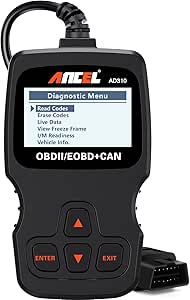 | Best Simple Check-Engine Reader | Brand and model: ANCEL AD310 | Supported protocols: KWP2000, J1850 VPW, ISO9141, J1850 PWM, and CAN | Vehicle compatibility: 1996 or newer US-based vehicles; 2000 or newer EU-based and Asian vehicles; compatible cars, light trucks, and SUVs | VIEW LATEST PRICE | See Our Full Breakdown |
| FOXWELL NT604 Elite OBD2 Car Diagnostic Scanner |  | Best Standalone Multi-System Scanner | Brand and model: FOXWELL NT604 Elite | System diagnostics: Engine, transmission, ABS, and SRS on supported vehicles | Screen: 4.3-inch color display, 480 x 272 native resolution | VIEW LATEST PRICE | See Our Full Breakdown |
| TOPDON ONE Bidirectional Automotive Diagnostic Scan Tool with 10.1-Inch Touchscreen |  | Best Advanced Bidirectional and Programming Platform | Brand and model: TOPDON ONE (part number TDONE) | Screen: 10.1-inch touchscreen | Connectivity: Dual Wi-Fi | VIEW LATEST PRICE | See Our Full Breakdown |
| THINKCAR 673BT Bidirectional OBD2 Scanner with Full-System Diagnostics and 28+ Reset Services |  | Best for Newer-Vehicle Coverage | Scanner type: Bidirectional OBD2 scan tool | Diagnostic coverage: Full-system diagnostics | Maintenance services: 28+ | VIEW LATEST PRICE | See Our Full Breakdown |
| Innova 5210 OBD2 Scanner and Engine Code Reader with Battery Testing, Live Data, and Oil Reset |  | Best for Everyday Maintenance Checks | Diagnostics: Reads and clears engine codes; ABS coverage varies | Live data: RPM, engine temperature, fuel trims, and oxygen sensor readings | Battery testing: Checks battery and alternator health | VIEW LATEST PRICE | See Our Full Breakdown |
| BlueDriver Bluetooth OBD2 Scanner for ABS, SRS, TPMS, and More |  | Best Phone-Based Scanner | Model: BlueDriver Pro | Connectivity: Bluetooth | Compatible devices: iOS and Android phones or tablets | VIEW LATEST PRICE | See Our Full Breakdown |
| TOPDON ArtiDiag800BT 2 OBD2 Bidirectional Scan Tool with 28 Reset Services |  | Best Value Bidirectional Feature Set | Diagnostic functions: All-system scanning, code reading and clearing, warning-light clearing, freeze-frame data, live data, and bidirectional controls | Maintenance services: 28 | Vehicle coverage: 96 vehicle brands; OBDII-equipped vehicles built after 1996 | VIEW LATEST PRICE | See Our Full Breakdown |
| Innova 5610 OBD2 Bidirectional Scan Tool |  | Best for Guided Diagnostic Testing | Product type: OBD2 bidirectional scan tool | Vehicle compatibility: Most OBD2 vehicles from 1996–2023; select makes and models, with features varying | Diagnostics: Enhanced live data for supported systems, including ABS, SRS, transmission, and engine | VIEW LATEST PRICE | See Our Full Breakdown |
| MUCAR 632 Elite OBD2 Scanner with AI-Assisted Bidirectional Diagnostics and 15 Reset Services | 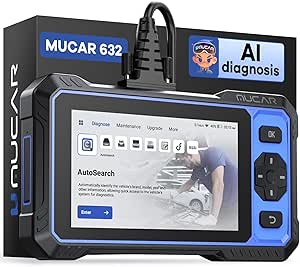 | Best for Broad Home-Garage Service Coverage | Display: 6.2-inch touchscreen, 1024 × 600 | Diagnostic systems: Engine, ABS, SRS, and transmission | Reset services: 15+ | VIEW LATEST PRICE | See Our Full Breakdown |
| Autel MaxiCOM MK900BT Bidirectional Diagnostic Scanner |  | Best for High-Function Professional-Style Diagnostics | Display: 8 inches | Service functions: 40+ | Active tests: 3,000+ | VIEW LATEST PRICE | See Our Full Breakdown |
| ANCEL AD410 Enhanced OBD2 Scanner for Check Engine Diagnostics |  | Best for Simple Engine-Code Checks | Display: 2.4-inch color display | Vehicle compatibility: Most U.S. OBD2 vehicles from 1996 onward; many EU and Asian OBD2 vehicles from 2000 onward | Supported protocols: CAN, ISO9141, KWP2000, J1850 VPW, and J1850 PWM | VIEW LATEST PRICE | See Our Full Breakdown |
| TOPDON ArtiDiag900 Lite OBD2 Bidirectional Scanner with 8-Inch Touchscreen |  | Best for Wireless, Large-Screen Operation | Screen: 8-inch touchscreen | Operating system: Android 11 | Battery: 10,000 mAh; stated runtime up to 12 hours | VIEW LATEST PRICE | See Our Full Breakdown |
| FOXWELL NT301 OBD2 Diagnostic Scanner with Live Data |  | Best for At-a-Glance Readiness Checks | Display: 2.8-inch color screen | Vehicle compatibility: Most OBD2-compliant 1996 and newer U.S.-market cars, SUVs, and light trucks | Supported protocols: CAN, ISO9141, KWP2000, and J1850 | VIEW LATEST PRICE | See Our Full Breakdown |
| automotive diagnostic scanner | Vehicle compatibility |
|---|---|
| MOTOPOWER MP69033 OBD2 Code Re | Most US vehicles from 1996; most European and Asian vehicles from 2000; newer OBD II and CAN vehicles |
| BLCKTEC 460T OBD2 Automotive D | — |
| ANCEL AD310 OBD II Diagnostic | 1996 or newer US-based vehicles; 2000 or newer EU-based and Asian vehicles; compatible cars, light trucks, and SUVs |
| FOXWELL NT604 Elite OBD2 Car D | — |
| TOPDON ONE Bidirectional Autom | — |
| THINKCAR 673BT Bidirectional O | OBDII vehicles from 1996 onward; feature coverage varies |
| Innova 5210 OBD2 Scanner and E | Most US, Asian, and European vehicles from 1996 and newer; verify coverage |
| BlueDriver Bluetooth OBD2 Scan | Gas-powered vehicles from 1996 onward; select light-duty trucks and diesels |
| TOPDON ArtiDiag800BT 2 OBD2 Bi | — |
| Innova 5610 OBD2 Bidirectional | Most OBD2 vehicles from 1996–2023; select makes and models, with features varying |
| MUCAR 632 Elite OBD2 Scanner w | — |
| Autel MaxiCOM MK900BT Bidirect | — |
| ANCEL AD410 Enhanced OBD2 Scan | Most U.S. OBD2 vehicles from 1996 onward; many EU and Asian OBD2 vehicles from 2000 onward |
| TOPDON ArtiDiag900 Lite OBD2 B | — |
| FOXWELL NT301 OBD2 Diagnostic | Most OBD2-compliant 1996 and newer U.S.-market cars, SUVs, and light trucks |
More Details on Our Top Picks
MOTOPOWER MP69033 OBD2 Code Reader and Diagnostic Scan Tool
The MOTOPOWER MP69033 suits drivers who want more than a bare code readout without stepping up to a multi-system scanner. It reads and clears engine codes, shows live and freeze-frame data, and includes I/M readiness checks and a built-in code lookup—useful for deciding whether an emissions-related issue needs prompt attention or a repair appointment. Its support for nine OBD2 protocols gives it broader protocol coverage than the ANCEL AD310, though both remain focused on engine and emissions diagnostics. The backlit 2.8-inch screen and vehicle-powered operation keep the setup simple. The tradeoff is a firm ceiling: it does not read ABS, airbag, or other non-OBDII systems, and compatibility still depends on vehicle year and region. Choose the BLCKTEC 460T instead if you need broader system coverage and service resets.
Pros:- Reads and clears engine codes and supplies live, freeze-frame, and vehicle data.
- Supports nine OBD2 protocols for wide protocol coverage.
- Backlit 2.8-inch LCD has adjustable contrast.
- Draws power from the vehicle, so no separate charger is needed.
Cons:- Does not diagnose ABS, airbag, transmission, or other non-OBDII systems.
- Vehicle compatibility depends on region, model year, and vehicle.
- A 2.5-foot cable can limit where the reader sits during a scan.
Best for: Drivers with a compatible OBD2 car who want a self-contained reader for engine codes, live data, and emissions readiness checks.
Not ideal for: Owners troubleshooting ABS, SRS airbags, transmission faults, or service resets; this tool is limited to OBDII functions.
- Brand and model:MOTOPOWER MP69033
- Display:2.8-inch LCD with white backlight and contrast adjustment
- Supported protocols:9 OBD2 protocols
- Functions:Read and clear engine codes, DTC lookup, freeze-frame data, I/M readiness, vehicle information, data flow, real-time curve, and VIN query
- Vehicle compatibility:Most US vehicles from 1996; most European and Asian vehicles from 2000; newer OBD II and CAN vehicles
- Languages:English, German, Dutch, Spanish, French, and Italian
- Power and cable:Powered by the vehicle OBDII connector; 2.5-foot cable
- Weight:10.2 ounces
Our verdict“Pick the MP69033 for straightforward engine diagnostics and broad OBD2 protocol support, but choose the BLCKTEC 460T if you need multi-system scans or resets.”
BLCKTEC 460T OBD2 Automotive Diagnostic Scanner with 12+ Reset Services
The BLCKTEC 460T is the strongest fit here for a DIY owner who needs more than check-engine diagnostics. It covers engine, transmission, ABS, and SRS systems, then adds more than 12 service functions, including oil reset, ABS bleeding, and battery initialization. That gives it a broader repair role than the FOXWELL NT604 Elite, which scans several systems but lacks many of these reset services. AutoVIN, AutoScan, and RepairSolutions2 help organize vehicle identification and scan results, while graphing and recording up to four data streams can make intermittent problems easier to examine. The tradeoffs are vehicle-specific function limits and USA-and-Canada-only support. It also is not a substitute for the TOPDON ONE’s more advanced bidirectional and J2534 capabilities; its appeal is practical maintenance coverage rather than advanced programming.
Pros:- Scans engine, transmission, ABS, and SRS systems on supported vehicles.
- Includes more than 12 service functions, including oil reset and ABS bleeding.
- Can graph, record, replay, and overlay up to four data streams.
- AutoVIN, AutoScan, and free lifetime updates reduce setup and update friction.
Cons:- Service functions and system coverage vary by vehicle.
- Scanner and companion app are supported only in the USA and Canada.
- Does not offer the TOPDON ONE’s J2534 pass-through support.
Best for: DIY vehicle owners in the USA or Canada who want engine, transmission, ABS, and SRS scans plus common maintenance resets in one handheld tool.
Not ideal for: Drivers outside the USA and Canada, or professionals who need broad OEM programming, J2534 pass-through, or guaranteed access to every reset on every vehicle.
- Brand and model:BLCKTEC 460T
- Diagnostic systems:Engine, transmission, ABS, SRS, and other vehicle systems
- OBD2 modes:All 10 OBD2 modes
- Service functions:12+ functions, including oil reset, ABS bleeding, EPB reset, SAS recalibration, DPF reset, throttle relearn, battery reset, and TPMS relearn
- Data tools:Live and freeze-frame data; graphing, recording, replay, and overlay of up to four data streams
- Automatic features:AutoVIN, AutoScan, and AutoReLink
- App and updates:RepairSolutions2 app; free lifetime updates
- Regional and vehicle coverage:OBD2-compliant vehicles sold and registered in the USA and Canada from 1996 onward; functions vary by vehicle
Our verdict“Choose the 460T for broad DIY system scans and maintenance resets in North America, but look to a higher-tier tool for advanced programming work.”
ANCEL AD310 OBD II Diagnostic Scanner
The ANCEL AD310 is the plainspoken choice for a driver who mainly wants to read and clear emission-related engine codes. It also displays live data, freeze-frame information, and I/M readiness, giving a useful snapshot before an inspection or a repair visit. Like the MOTOPOWER MP69033, it is powered through the OBD II port and avoids app pairing; the MOTOPOWER offers a larger display and more supported protocols, while the AD310 keeps its feature set focused. Its compact body, labeled buttons, and 2.5-foot cable make routine checks straightforward. The limits matter: it cannot scan ABS, SRS, transmission, or other non-emissions systems, and it requires an OBD II vehicle. For drivers who want service resets or broader system diagnostics, the BLCKTEC 460T is a more capable step up.
Pros:- Reads and clears emission-related engine codes and shows live and freeze-frame data.
- Checks I/M monitor readiness for emissions inspection preparation.
- Compact, lightweight design with clearly labeled buttons.
- Powered through the vehicle OBD II connector without a separate charger.
Cons:- Cannot diagnose ABS, SRS, transmission, or other non-emissions systems.
- Does not support OBD I vehicles.
- Offers a narrower protocol and feature set than the MOTOPOWER MP69033.
Best for: Owners of compatible cars, light trucks, or SUVs who want a simple handheld reader for check-engine codes and emissions readiness.
Not ideal for: DIY mechanics diagnosing ABS, SRS, transmission, or service-related faults, or anyone with an OBD I vehicle.
- Brand and model:ANCEL AD310
- Supported protocols:KWP2000, J1850 VPW, ISO9141, J1850 PWM, and CAN
- Vehicle compatibility:1996 or newer US-based vehicles; 2000 or newer EU-based and Asian vehicles; compatible cars, light trucks, and SUVs
- Diagnostic functions:Read and clear emission-related engine codes, live data, freeze frame, I/M readiness, and vehicle information
- Cable length:2.5 feet
- Weight:12 ounces
- Dimensions:8.9 x 6.9 x 1.4 inches
- Power source:Vehicle OBD II Data Link Connector
Our verdict“Choose the AD310 for uncomplicated engine-code and readiness checks; move to the BLCKTEC 460T if you need multiple vehicle systems or reset functions.”
FOXWELL NT604 Elite OBD2 Car Diagnostic Scanner
The FOXWELL NT604 Elite makes sense for buyers who want a larger screen and access to several vehicle systems without relying on a phone. It reads and clears codes and displays live data for engine, transmission, ABS, and SRS on supported vehicles—a clear step beyond the engine-only MOTOPOWER MP69033 and ANCEL AD310. Its 4.3-inch color display, physical buttons, and included protective case suit a garage tool that can be picked up and used without Bluetooth pairing. Quick Scan and Wi-Fi updates add convenience, though coverage still varies by vehicle. The bigger limitation is function depth: it has no bidirectional active tests or ECU programming and omits service tasks such as ABS bleeding, oil reset, EPB, SAS, and TPMS. The BLCKTEC 460T is a better fit if those resets matter.
Pros:- Scans engine, transmission, ABS, and SRS systems on supported vehicles.
- 4.3-inch color display and physical controls work without a phone or Bluetooth.
- Displays live data and supports graphing and saving available data.
- Includes a protective case and Wi-Fi software updates.
Cons:- Vehicle and function coverage varies by make, model, year, engine, and ECU.
- Does not support bidirectional active tests or ECU coding and programming.
- Lacks many service functions available on the BLCKTEC 460T.
Best for: DIY owners who want a dedicated, phone-free scanner for engine, transmission, ABS, and SRS code checks on supported vehicles.
Not ideal for: Users who need bidirectional tests, ECU coding, or service resets such as ABS bleeding, oil, EPB, SAS, or TPMS functions.
- Brand and model:FOXWELL NT604 Elite
- System diagnostics:Engine, transmission, ABS, and SRS on supported vehicles
- Screen:4.3-inch color display, 480 x 272 native resolution
- Functions:Reads and clears codes, displays live data, and checks ECU information
- OBDII functions:Freeze frame, I/M readiness, O2 sensor tests, onboard monitor tests, vehicle information, and code lookup
- Vehicle identification:AutoVIN or manual selection
- Connectivity:Wi-Fi software updates; no phone, app, or Bluetooth pairing required
- Included components:Diagnostic cable, USB cable, quick start guide, protective case, and user manual
Our verdict“Pick the NT604 Elite for a standalone screen and multi-system code checks, but choose the 460T if maintenance resets are part of your workflow.”
TOPDON ONE Bidirectional Automotive Diagnostic Scan Tool with 10.1-Inch Touchscreen
The TOPDON ONE is the specialist pick for buyers whose work goes beyond reading codes into active tests, network-level diagnostics, and supported coding. Its bidirectional controls, ECU topology mapping, and more than 50 service functions put it in a different class from the FOXWELL NT604 Elite, which handles multi-system scanning but not active tests or programming. Support for J2534 pass-through, CAN-FD, and DoIP also gives it tools for compatible OEM software and newer vehicle networks. The 10.1-inch touchscreen provides room to inspect results and procedures, while guided Volkswagen and Audi functions and AI-assisted code guidance add support. This capability comes with greater complexity, and vehicle-specific features depend on coverage and subscription status. For routine engine-code checks, the ANCEL AD310 is simpler; the TOPDON ONE is aimed at advanced users who can make use of its broader platform.
Pros:- Bidirectional diagnostics and more than 50 service functions support active troubleshooting and maintenance.
- J2534 pass-through enables use with compatible OEM diagnostic software.
- CAN-FD and DoIP support newer vehicle networks.
- Large 10.1-inch touchscreen, dual Wi-Fi, topology mapping, and guided functions.
Cons:- Vehicle-specific coding and diagnostic features vary by make and coverage.
- Ongoing updates and some advanced features depend on subscription status.
- More tool than needed for basic engine-code checks, where a simpler scanner is easier to use.
Best for: Professional technicians and advanced DIY users who need bidirectional tests, newer network protocols, coding, and compatible OEM software support.
Not ideal for: Drivers seeking occasional check-engine scans or a low-complexity handheld reader; advanced functions may depend on vehicle coverage and an active subscription.
- Brand and model:TOPDON ONE (part number TDONE)
- Screen:10.1-inch touchscreen
- Connectivity:Dual Wi-Fi
- Protocols:J2534, CAN-FD, and DoIP
- Service functions:More than 50
- Supported features:Bidirectional diagnostics, ECU topology mapping, ECU coding, guided functions, and TopFix AI assistant
- Weight:3.5 pounds
- Included components:ONE tablet, ONE VCI, OBDII extension cable, USB-C to USB-C cable, USB-A to USB-C cable, power adapter, and quick user guide
Our verdict“Choose the TOPDON ONE when you need an advanced bidirectional platform with pass-through and newer network support, not for occasional code reading.”
THINKCAR 673BT Bidirectional OBD2 Scanner with Full-System Diagnostics and 28+ Reset Services
The THINKCAR 673BT brings together full-system diagnostics, bidirectional tests, and more than 28 maintenance services, making it a stronger fit for hands-on troubleshooting than a basic engine-code reader. Its support for CAN FD and DoIP gives it an advantage for working with newer vehicles that use those protocols, while the 7-inch touchscreen keeps data and service menus on the tool rather than a phone. Compared with the TOPDON ArtiDiag800BT 2, it adds a larger display and newer stated protocols, though both offer wireless bidirectional diagnostics and 28 service functions. The tradeoff is that coverage still depends on the vehicle, and AutoVIN may not work on every model. I’d choose it for a garage that values a broad feature set and a standalone screen, not for occasional code checks.
Pros:- Bidirectional controls support actuator and operation tests on compatible vehicles.
- Full-system diagnostics and more than 28 reset and maintenance services cover a wide range of repair tasks.
- CAN FD and DoIP support suits some newer vehicles.
- Wireless connection and lifetime free software updates are included.
Cons:- Diagnostic and service coverage varies by make and model.
- AutoVIN may not identify every vehicle.
- The touchscreen tablet form is more tool than casual users need for occasional engine-code checks.
Best for: DIY mechanics and small repair shops seeking a touchscreen scanner with bidirectional tests, broad system coverage, and support for newer vehicle protocols.
Not ideal for: Drivers who only need to read engine codes, or buyers unwilling to check whether the scanner’s advanced functions work with their specific vehicle.
- Scanner type:Bidirectional OBD2 scan tool
- Diagnostic coverage:Full-system diagnostics
- Maintenance services:28+
- Protocols:CAN FD and DoIP
- Connectivity:Bluetooth 5.0 VCI; 2.4 GHz and 5 GHz Wi-Fi
- Display:7-inch touchscreen, 1024 × 600
- Operating system:Android 10
- Vehicle compatibility:OBDII vehicles from 1996 onward; feature coverage varies
Our verdict“Choose the THINKCAR 673BT if you want a standalone touchscreen scanner with bidirectional functions and newer protocol support, and will verify vehicle coverage first.”
Innova 5210 OBD2 Scanner and Engine Code Reader with Battery Testing, Live Data, and Oil Reset
The Innova 5210 is a practical choice for owners who want more than an engine-code reader but don’t need bidirectional controls. It reads and clears engine codes, displays live data, checks battery and alternator health, and handles an oil-light reset. Those extras make it more useful for routine ownership checks than the phone-dependent BlueDriver when battery condition or an oil service is the immediate concern. BlueDriver, by contrast, offers broader enhanced code coverage on supported vehicles and VIN-matched repair reports. The 5210’s RepairSolutions2 app adds repair guidance and estimates without a subscription, but vehicle coverage—especially ABS functionality—varies. After a battery disconnect or code clear, emissions monitors may also need a complete drive cycle before readiness checks reflect the vehicle’s status. I’d pick it for maintenance-oriented drivers, not for component-level testing.
Pros:- Combines engine-code reading with battery and alternator health checks.
- Live data includes engine readings such as RPM, temperature, fuel trims, and oxygen sensor values.
- Offers an oil-light reset and emissions-readiness checks.
- RepairSolutions2 provides repair guidance without a subscription.
Cons:- ABS and other vehicle-specific coverage can vary by make, model, and year.
- It does not provide the bidirectional controls available on the THINKCAR 673BT and Innova 5610.
- Emissions monitors may need a full drive cycle to repopulate after a battery disconnect or code clear.
Best for: Car owners who want one straightforward tool for engine codes, live readings, battery and alternator checks, oil resets, and emissions readiness.
Not ideal for: DIY technicians who need bidirectional actuator tests or dependable enhanced diagnostics across ABS and other vehicle systems.
- Diagnostics:Reads and clears engine codes; ABS coverage varies
- Live data:RPM, engine temperature, fuel trims, and oxygen sensor readings
- Battery testing:Checks battery and alternator health
- Additional features:Oil-light reset and emissions-readiness checks
- App:RepairSolutions2 for iPhone and Android
- Vehicle compatibility:Most US, Asian, and European vehicles from 1996 and newer; verify coverage
- Included components:Code reader with attached OBD2 cable and quick start guide
Our verdict“Choose the Innova 5210 for routine engine, battery, and maintenance checks rather than advanced system testing.”
BlueDriver Bluetooth OBD2 Scanner for ABS, SRS, TPMS, and More
BlueDriver is the phone-based pick for drivers who want more than generic engine codes without carrying a dedicated scan-tool screen. On supported vehicles, it reads systems such as ABS, SRS, TPMS, and transmission, then pairs that coverage with live data, freeze frames, smog readiness, and VIN-matched repair reports. That makes it a closer match for guided fault investigation than the simpler Innova 5210, which adds battery and alternator checks but focuses more on everyday maintenance. BlueDriver’s main tradeoff is its reliance on a compatible iOS or Android device and app; it is not a standalone reader. Enhanced diagnostics also vary by vehicle, so the feature list should not be treated as universal coverage. With no subscription fee, it suits owners comfortable using a phone as the scanner interface, but less so buyers wanting bidirectional component tests like those offered by the THINKCAR 673BT.
Pros:- Reads multiple code types beyond engine codes on supported vehicles, including ABS, SRS, TPMS, and transmission.
- App includes live data, freeze frames, smog readiness checks, and VIN-matched repair reports.
- Works with iOS and Android devices and has no subscription fee.
- Supports gas-powered vehicles from 1996 onward and select light-duty trucks.
Cons:- A compatible phone or tablet and the BlueDriver app are required.
- Enhanced diagnostics and newer-model coverage vary by vehicle.
- Does not offer the bidirectional component tests found on the THINKCAR 673BT and TOPDON ArtiDiag800BT 2.
Best for: DIY owners who already use a compatible phone or tablet and want enhanced code information and repair guidance for supported vehicles.
Not ideal for: Buyers who want a self-contained scanner, bidirectional actuator controls, or guaranteed access to every listed system on their vehicle.
- Model:BlueDriver Pro
- Connectivity:Bluetooth
- Compatible devices:iOS and Android phones or tablets
- Diagnostic coverage:Check Engine, ABS, SRS, airbag, TPMS, transmission, and more on supported vehicles
- Vehicle compatibility:Gas-powered vehicles from 1996 onward; select light-duty trucks and diesels
- App features:Live data, freeze frames, smog readiness checks, and VIN-matched repair reports
- Subscription:None
- Warranty information:180-day money-back guarantee; defective products accepted within one year
Our verdict“Choose BlueDriver if you want phone-based enhanced diagnostics and repair reports, and your vehicle is supported for the systems you need.”
TOPDON ArtiDiag800BT 2 OBD2 Bidirectional Scan Tool with 28 Reset Services
The TOPDON ArtiDiag800BT 2 brings bidirectional controls, all-system scanning, live data, freeze frames, and 28 maintenance services into a wireless tool. That combination gives it a wider diagnostic role than the Innova 5210, which is better suited to engine, battery, and routine maintenance checks but does not list bidirectional testing. Against the THINKCAR 673BT, the TOPDON offers a similar core mix of wireless tests and service functions, while the THINKCAR specifies a larger 7-inch touchscreen and CAN FD and DoIP support. The ArtiDiag800BT 2’s 33-foot wireless range supports working around a vehicle without staying beside the diagnostic port, and lifetime updates help keep software current. Its key limitation is fit: menus and functions vary by make, model, and year, and AutoVIN is not universal. I’d shortlist it for DIYers who want active tests without stepping up to a larger tablet-style tool.
Pros:- Bidirectional controls can operate supported vehicle components during troubleshooting.
- All-system diagnostics include code reading and clearing, live data, and freeze-frame information.
- Provides 28 maintenance services.
- Wireless connection and lifetime free software updates are included.
Cons:- Service menus and diagnostic functions vary by vehicle make, model, and year.
- AutoVIN does not work on every vehicle.
- The listed Bluetooth 4.0 connection is an older specification than the THINKCAR 673BT’s Bluetooth 5.0.
Best for: DIY mechanics seeking wireless bidirectional tests, all-system scans, and a broad set of maintenance services in a mid-size diagnostic tool.
Not ideal for: Owners who need confirmed functions across a particular vehicle or want the larger display and stated newer-protocol support of the THINKCAR 673BT.
- Diagnostic functions:All-system scanning, code reading and clearing, warning-light clearing, freeze-frame data, live data, and bidirectional controls
- Maintenance services:28
- Vehicle coverage:96 vehicle brands; OBDII-equipped vehicles built after 1996
- Connectivity:Bluetooth 4.0 VCI dongle
- Wireless range:33 ft (10 m)
- Storage:64 GB ROM
- Software updates:Lifetime free updates
- Weight:660 g
Our verdict“Choose the ArtiDiag800BT 2 if you want wireless bidirectional diagnostics and 28 service functions without needing the THINKCAR’s larger screen or newer stated protocols.”
Innova 5610 OBD2 Bidirectional Scan Tool
The Innova 5610 is aimed at owners who want to move from reading a fault to testing a possible cause. Its bidirectional controls can command supported functions, while enhanced live data extends beyond basic engine readings to systems such as ABS, SRS, and transmission. Special resets and relearn procedures add value after certain repairs. Compared with the Innova 5210, the 5610 is the more advanced diagnostic tool; the 5210 is a better match for routine code, battery, and oil-service checks. It is also a more focused alternative to the touchscreen-based THINKCAR 673BT and TOPDON ArtiDiag800BT 2, though the 5610’s vehicle coverage and functions still vary by make, model, and year. Free updates, three languages, and RepairSolutions2 support round out the package. I’d favor it for targeted tests and relearns, but only after checking compatibility for the specific vehicle.
Pros:- Bidirectional controls can test supported functions such as fuel-pump operation and electronic parking-brake retraction.
- Enhanced live data covers ABS, SRS, transmission, and engine systems on compatible vehicles.
- Special reset functions support some dealership-style relearn procedures.
- Includes free updates and supports English, Spanish, and French.
Cons:- Vehicle coverage and individual functions vary by make, model, and year.
- Compatibility should be verified before purchase, particularly for enhanced and bidirectional functions.
- Does not specify the 28 maintenance services listed for the THINKCAR 673BT and TOPDON ArtiDiag800BT 2.
Best for: DIY mechanics who need bidirectional tests, enhanced live data, and reset or relearn procedures for a compatible vehicle.
Not ideal for: Casual drivers who only need basic engine-code checks, or buyers seeking confirmed coverage without verifying their make, model, and year.
- Product type:OBD2 bidirectional scan tool
- Vehicle compatibility:Most OBD2 vehicles from 1996–2023; select makes and models, with features varying
- Diagnostics:Enhanced live data for supported systems, including ABS, SRS, transmission, and engine
- Functions:Bidirectional controls, special reset functions, and relearn procedures
- Connectivity:Wireless functionality with RepairSolutions2 app
- Updates:Free updates
- Supported languages:English, Spanish, and French
- Weight:1.3 pounds
Our verdict“Choose the Innova 5610 if your vehicle is supported and you need bidirectional tests and relearn procedures rather than basic code reading.”
MUCAR 632 Elite OBD2 Scanner with AI-Assisted Bidirectional Diagnostics and 15 Reset Services
The MUCAR 632 Elite combines four-system diagnostics with bidirectional active tests and 15+ reset services, making it a more capable home-garage option than the engine-only ANCEL AD410. Its 6.2-inch touchscreen, AutoVIN, CAN FD support, and expandable storage help make routine scans and service tasks easier to manage. Lifetime software updates also set it apart from the Autel MaxiCOM MK900BT, which includes updates for one year. The tradeoff is that the MUCAR has fewer listed service functions and active tests than the Autel, and its compatibility depends on the vehicle. AI-assisted code analysis needs an internet connection and current software; FCA AutoAuth also requires a separately registered account. I’d choose it for varied maintenance work, not as a guarantee of dealer-level coverage.
Pros:- Combines four-system diagnostics with bidirectional active tests for supported actuators.
- Includes 15+ service and reset functions, including ABS bleeding, DPF regeneration, and battery matching.
- Lifetime free software updates avoid a stated update-subscription term.
- 6.2-inch touchscreen, AutoVIN, and expandable storage support easier operation and file capacity.
Cons:- AI-assisted analysis requires internet access and the latest software.
- FCA AutoAuth requires separate user registration.
- Available diagnostics and functions vary by vehicle.
Best for: Home mechanics who want engine, ABS, SRS, and transmission diagnostics, active tests, and a broad set of maintenance resets in one scanner.
Not ideal for: Buyers who need verified coverage for a particular vehicle function, prefer offline AI features, or want the broader listed active-test count and service-function set of the Autel MaxiCOM MK900BT.
- Display:6.2-inch touchscreen, 1024 × 600
- Diagnostic systems:Engine, ABS, SRS, and transmission
- Reset services:15+
- Bidirectional controls:Active tests for supported vehicle actuators
- Protocols and access:CAN FD; FCA SGW support with AutoAuth
- Vehicle identification:AutoVIN
- Storage:32 GB, expandable with a TF card up to 128 GB
- Updates:Lifetime free software updates
Our verdict“Choose the MUCAR 632 Elite if you want broad home-garage diagnostics and service resets with lifetime updates, and can verify coverage for your vehicle.”
Autel MaxiCOM MK900BT Bidirectional Diagnostic Scanner
The Autel MaxiCOM MK900BT is the most feature-intensive choice in this batch on paper, pairing 40+ service functions with more than 3,000 active tests. Its all-system diagnostics, live data, Auto VIN, and pre- and post-scan reports suit repair work where documenting a vehicle’s condition matters. Compared with the MUCAR 632 Elite, the Autel lists a larger service-function set and supports both CAN FD and DoIP; its 8-inch display also gives more room for scan results. That breadth comes with limits: functions still depend on vehicle compatibility, and the included software updates cover one year rather than the MUCAR’s lifetime term. Battery testing requires a separately purchased BT506. I’d favor this model for users who will make regular use of its deeper diagnostic and reporting tools.
Pros:- More than 3,000 active tests support a broad range of component checks.
- Includes 40+ service functions and all-system diagnostics.
- CAN FD and DoIP protocol support broaden its diagnostic capabilities.
- Auto VIN, live data, and pre- and post-scan reports help organize repair information.
Cons:- Functions vary by vehicle, so coverage should be checked before purchase.
- Battery testing requires the separately purchased BT506.
- Software updates are included for one year.
Best for: Independent technicians and experienced vehicle owners who need extensive active testing, service functions, and scan reports across a range of supported vehicles.
Not ideal for: Casual owners who only need to read engine codes, or buyers seeking battery testing without purchasing a separate BT506.
- Display:8 inches
- Service functions:40+
- Active tests:3,000+
- Vehicle coverage:150+ brands; vehicles from 1996–2026
- Protocols:CAN FD and DoIP
- Connectivity:Bluetooth VCI and Wi-Fi printing
- Diagnostic features:All-system diagnostics, Auto VIN, live data, and pre- and post-scan reports
- Software updates:1 year included
Our verdict“Pick the Autel MaxiCOM MK900BT for extensive active tests and reporting, provided its vehicle coverage and separate battery-test accessory fit your needs.”
ANCEL AD410 Enhanced OBD2 Scanner for Check Engine Diagnostics
The ANCEL AD410 keeps its job narrow: it reads and clears engine and emissions-related codes, shows live data, and runs checks such as I/M readiness, O2 sensor, and EVAP tests. Its built-in database of 42,000+ code lookups gives owners a starting point for understanding a warning light without opening a phone app. Unlike the MUCAR 632 Elite or TOPDON ArtiDiag900 Lite, it does not offer full-system scans, bidirectional controls, or maintenance resets. That limitation is also why it makes sense for a simpler, direct-plug-in setup: it draws power from the OBD2 port and needs no battery or wireless connection. Buyers should check regional vehicle compatibility, especially for non-U.S. models. I’d choose it for basic engine diagnosis, not for broader repair work.
Pros:- Reads and clears engine and emissions-related codes and displays live vehicle data.
- Built-in 42,000+ DTC lookups provide code definitions on the device.
- OBD2-port power means no charging, batteries, Bluetooth, or phone app is needed.
- Supports freeze-frame, I/M readiness, O2 sensor, and EVAP tests.
Cons:- Limited to engine and emissions diagnostics; it does not scan ABS, SRS, or transmission systems.
- No bidirectional controls or service reset functions.
- Compatibility varies, particularly for non-U.S. vehicles.
Best for: Owners of compatible vehicles who want a straightforward, corded tool for check-engine codes, live data, and emissions-readiness checks.
Not ideal for: DIY mechanics who need ABS, SRS, or transmission scans, bidirectional testing, or service resets.
- Display:2.4-inch color display
- Vehicle compatibility:Most U.S. OBD2 vehicles from 1996 onward; many EU and Asian OBD2 vehicles from 2000 onward
- Supported protocols:CAN, ISO9141, KWP2000, J1850 VPW, and J1850 PWM
- Diagnostic functions:Read and clear codes, live data, freeze frame, I/M readiness, O2 sensor and EVAP tests
- Code database:42,000+ built-in DTC lookups
- Power:Powered through the vehicle’s OBD2 port
- Weight:10.56 ounces
- Limitations:No ABS, SRS, transmission, bidirectional, or service-reset functions
Our verdict“Choose the ANCEL AD410 for uncomplicated engine and emissions checks, but move to a full-system scanner if you need more than powertrain codes.”
TOPDON ArtiDiag900 Lite OBD2 Bidirectional Scanner with 8-Inch Touchscreen
The TOPDON ArtiDiag900 Lite pairs an 8-inch touchscreen with Bluetooth 5.0, so users can view scan information away from the vehicle rather than being tied to a direct cable connection. Its bidirectional controls and full-system diagnostics give it a much broader role than the engine-only ANCEL AD410, while eight service functions cover common jobs such as oil resets, ABS bleeding, and DPF regeneration. The 10,000 mAh battery is rated for up to 12 hours, supporting longer sessions without a vehicle-powered handheld setup. Compared with the Autel MaxiCOM MK900BT, though, it lists fewer service functions, and its coverage is specified for 60+ makes through model year 2025. The repair guide is limited to select Chrysler, Dodge, Jeep, and Fiat vehicles from 2010–2014. I’d prioritize its screen and wireless workflow over maximum function count.
Pros:- 8-inch touchscreen provides a roomy interface for viewing diagnostic information.
- Bluetooth 5.0 wireless connection is rated for a range of up to 33 feet.
- Full-system diagnostics and bidirectional active tests reach beyond basic code reading.
- Includes eight service functions and a battery rated for up to 12 hours.
Cons:- Eight service functions are fewer than the 40+ listed for the Autel MaxiCOM MK900BT.
- The DTC repair guide applies only to select Chrysler, Dodge, Jeep, and Fiat vehicles from 2010–2014.
- Vehicle coverage is listed for 1996–2025 model years and 60+ makes.
Best for: DIY mechanics who want a large tablet-style display, wireless vehicle connection, active tests, and common service resets.
Not ideal for: Buyers who want the widest stated service-function list, need coverage beyond the listed vehicle range, or expect the DTC repair guide to apply broadly.
- Screen:8-inch touchscreen
- Operating system:Android 11
- Battery:10,000 mAh; stated runtime up to 12 hours
- Wireless connectivity:Bluetooth 5.0; stated range up to 33 feet (10 meters)
- Diagnostics:Full-system diagnostics, bidirectional controls, active tests, and ECU information
- Service functions:8, including oil reset, EPB reset, DPF regeneration, and ABS bleeding
- Vehicle coverage:1996–2025 model years; 60+ makes
- Supported languages:12
Our verdict“Choose the ArtiDiag900 Lite if a large screen and wireless active testing matter more than the Autel’s larger listed set of service functions.”
FOXWELL NT301 OBD2 Diagnostic Scanner with Live Data
The FOXWELL NT301 is a compact, vehicle-powered reader for engine trouble codes, live data, and emissions checks. Its standout detail is the I/M readiness hotkey, which pairs status lights with audible alerts; that makes it easy to check emissions-monitor readiness without working through a larger tablet interface. Like the ANCEL AD410, it avoids batteries and phone pairing, but the FOXWELL adds live-data graphing on a 2.8-inch color screen. Neither can match the MUCAR 632 Elite for system coverage: the NT301 does not provide ABS, SRS, transmission, bidirectional, or service-reset functions. It also cannot directly erase permanent DTCs; those clear only after the vehicle completes required checks. I’d pick it for quick engine-focused checks, not for diagnosing a wider range of modules.
Pros:- Reads engine codes and displays code definitions alongside real-time data.
- Live-data graphing helps track engine readings as they change.
- I/M readiness hotkey uses red, yellow, and green LEDs plus audible alerts.
- Draws power from the OBD2 port, with no battery charging required.
Cons:- Limited to engine-focused OBD2 functions rather than full-system diagnostics.
- Permanent DTCs cannot be directly erased and clear only after required vehicle checks.
- Compatibility and supported functions vary by vehicle.
Best for: Owners of compatible U.S.-market vehicles who want a simple engine-code reader with live-data graphs and a quick emissions-readiness check.
Not ideal for: DIY mechanics who need module-level diagnostics, bidirectional testing, service resets, or direct clearing of permanent DTCs.
- Display:2.8-inch color screen
- Vehicle compatibility:Most OBD2-compliant 1996 and newer U.S.-market cars, SUVs, and light trucks
- Supported protocols:CAN, ISO9141, KWP2000, and J1850
- Diagnostic functions:Engine codes, live data, I/M readiness, and supported O2 sensor and EVAP tests
- Power source:Vehicle OBD2 port
- Weight:0.16 kg
- Included components:NT301 scanner, USB cable, and quick reference guide
- Warranty:12 months
Our verdict“Choose the FOXWELL NT301 for quick engine-code and emissions-readiness checks, but choose a full-system scanner for broader fault diagnosis.”
How We Picked
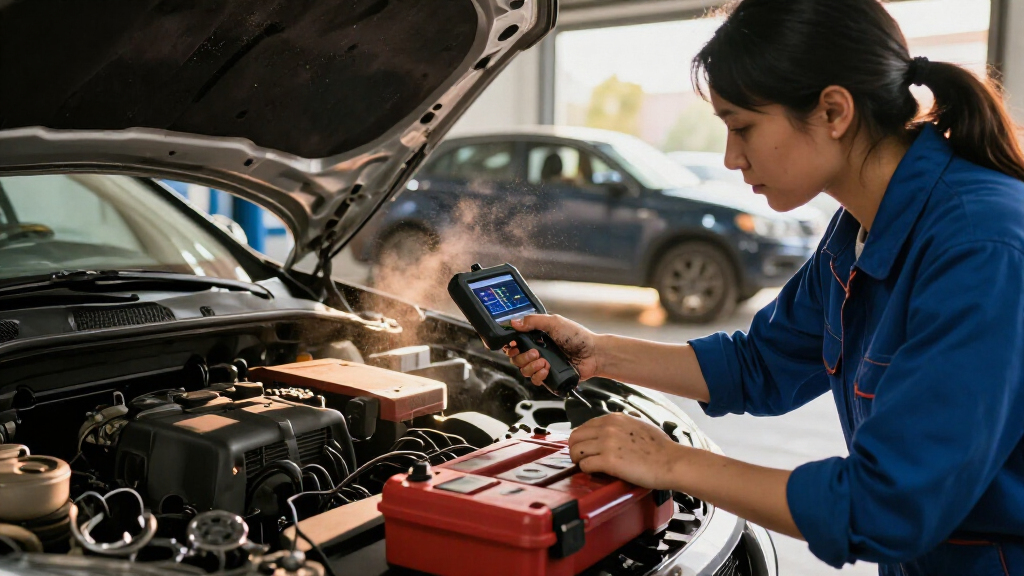
I ranked these automotive diagnostic scanners by the jobs they can realistically support, not by feature counts alone. I weighed diagnostic coverage, including engine-only versus broader system access; bidirectional controls; service and reset functions; live-data presentation; and whether the device uses a built-in screen or a phone app. I also considered how approachable the interface is for a DIY owner and how the tool’s form affects use in a driveway or workshop.
The order reflects the balance of capability and likely usefulness across different buyers. More capable scanners rank higher when their added functions offer a meaningful step beyond code reading, while simpler models remain valuable for focused, lower-complexity troubleshooting. I treat compatibility as vehicle-specific throughout: a feature listed for a scanner may not work on every car. Since the lineup spans very different tool classes, the picks also have distinct roles rather than pretending one device suits everyone.
Factors to Consider When Choosing Automotive Diagnostic Scanners
Before choosing a scanner, start with the kind of decision you want it to support: reading a warning light, checking data while the engine runs, testing a component, or completing a maintenance procedure. The right tool depends on your vehicle and repair habits, not just the number of features on its box. These factors can help you avoid paying for functions your car cannot use—or buying a basic reader that cannot answer your next question.
Match system coverage to the warning you need to diagnose
A check-engine code reader may only access engine and emissions data, while a wider system scanner can communicate with modules such as ABS, airbags, and transmission controls. Do not assume that a scanner advertised with broad coverage supports every module on every vehicle. Manufacturers can restrict access by model year, trim, or system, and some functions require a particular communication protocol. Before buying, compare the tool’s compatibility information with your exact year, make, and model, then verify support for the system behind your warning light. If you only need to identify an engine fault, paying for numerous module functions may add complexity without changing your repair plan. If you diagnose several cars, wider coverage can be more useful, but verify each vehicle separately.
Know what bidirectional control can—and cannot—do
A bidirectional scanner can send commands to supported vehicle components, which may help confirm whether a part responds during a diagnostic test. That is different from simply reading a trouble code or viewing live data. Active tests can save time when a fault requires checking a pump, fan, valve, or other system, but they do not automatically identify the cause of a failure. Some tests may require specific conditions, and available commands vary by vehicle. Buyers new to diagnostics should avoid treating an actuator test as a repair instruction; use service information and follow safe procedures. If you mainly want to read and clear common codes, a basic scanner may be easier to use and less tool than you need to manage.
Check service functions against your maintenance routine
Oil resets, electronic parking-brake service, steering-angle calibration, and other maintenance functions can reduce the need for a separate shop visit when the vehicle and scanner support them. A feature list does not mean every reset applies to your car, or that the tool can complete every procedure without additional steps. Some tasks require repairs to be finished first, a battery support supply, or a precise sequence in the scanner menu. List the maintenance jobs you expect to perform, then check that the scanner supports those exact functions for your vehicle. Avoid choosing by the largest advertised reset count alone: unused functions do not add much practical value. A smaller, verified set of compatible service tools can be the better fit.
Choose a display and workflow you will use comfortably
Handheld readers, touchscreen tablets, and Bluetooth adapters each suit a different work style. A built-in screen keeps the scanner independent of a phone, while an app-based tool can make reports and data easier to view on a device you already carry. Larger touchscreens may help when navigating multiple modules or reviewing graphs, though they take up more storage space and can add setup steps. Bluetooth models depend on a compatible phone and a stable connection, so check operating-system support and how the app handles updates before choosing one. For occasional driveway checks, a compact wired reader may be quicker to connect and put away. For longer diagnostic sessions, prioritize clear data views and controls that are easy to operate near the vehicle.
Read live data with a question in mind
Live data is most useful when it helps test a specific possibility, such as whether a sensor reading changes under a known condition. A long list of values can overwhelm new users, and a scanner cannot explain every reading without vehicle-specific reference information. Check whether the tool can display the data you care about clearly and whether it offers graphing or recording if you plan to compare readings over time. Freeze-frame information can also capture conditions around a fault, which may help with intermittent problems. Do not treat a single unusual value as proof that a component needs replacement; wiring, connections, and related systems can produce similar symptoms. If you are not ready to interpret data, prioritize straightforward code descriptions and a clear diagnostic workflow.
Factor in updates, ownership, and future vehicles
Scanner capabilities can depend on software updates, app support, and the maker’s continued compatibility work. Before choosing, find out how updates are delivered, whether an account or phone connection is needed, and what support is available for the vehicles you own. A tool that works well with one current car may be a poor match for an older model or a vehicle you plan to buy next. Independent shops and households with multiple makes should place more weight on breadth and coverage checks than owners who only scan one car. Also think about storage, cable condition, and how often you will use advanced functions. Buying for a realistic future need is sensible; paying for vague future-proofing is not a substitute for confirming compatibility.
Frequently Asked Questions
Will any of these scanners work with my exact car?
Do not assume that a scanner supports every feature on every vehicle simply because it connects through the OBD-II port. Check compatibility by year, make, model, and the specific system or function you want to use. Engine-code access is generally a narrower requirement than ABS, SRS, transmission diagnostics, or service resets. If you are buying for more than one vehicle, verify each one separately. When a function is essential, confirm it with the scanner maker’s compatibility information before purchase.
Should I choose a bidirectional scanner if I only want to clear a warning light?
Usually not, unless you also expect to diagnose components or perform supported service procedures. A basic reader can be a better match for occasional code checks, while bidirectional tools add commands that can test selected vehicle systems. Those commands are useful only when your car supports them and you know what the results mean. Clearing a code without identifying why it appeared can leave the underlying fault unresolved. Choose based on the diagnostic work you plan to do, not on the most advanced feature label.
Is a Bluetooth scanner less capable than a handheld scanner?
Not automatically; the connection style does not by itself determine diagnostic coverage. A Bluetooth adapter may offer useful enhanced data through its app, while a handheld unit may provide a self-contained screen and controls. App-based scanners rely on a compatible phone and software, which can be convenient but adds another compatibility check. Handheld models avoid some phone setup but can vary in screen size and data presentation. Compare supported vehicle systems and functions first, then choose the workflow you prefer.
Can a scanner tell me exactly which part to replace?
A trouble code points to a detected condition or circuit, not always to a failed part. The same code can result from a component problem, damaged wiring, a poor connection, or another related fault. Live data and active tests can help narrow the possibilities, but they still need to be interpreted alongside symptoms and service information. A code description is a starting point for diagnosis, not a guarantee that replacing a named component will fix the issue. If a fault affects safety systems or requires specialized procedures, a qualified technician may be the better next step.
What should I verify before relying on a scanner for service resets?
Confirm that the scanner supports the exact reset for your vehicle, not just that the function appears in a general feature list. Check whether the procedure requires a completed repair, specific ignition state, or another preparatory step. Some service functions vary across model years and trim levels, even within one manufacturer. Read the tool’s instructions before starting, and do not use a reset to hide an unresolved warning. If you depend on a function for routine maintenance, verify support with the manufacturer’s compatibility details before making your choice.
Conclusion
For a balanced mix of diagnostics and active testing, I would start with the Innova 5610 as the best overall pick in this lineup. The best value for focused code checks is a simpler reader such as the ANCEL AD310 or MOTOPOWER MP69033, while the best for beginners is the FOXWELL NT301 for a straightforward code-reading and live-data approach. Buyers who want a phone-based workflow should look at the BlueDriver, and those seeking a larger, more workshop-oriented touchscreen can compare the TOPDON ONE and Autel MaxiCOM MK900BT as premium options. For drivers who need specific ABS, SRS, TPMS, or reset functions, I would choose only after checking exact vehicle compatibility—those needs matter more than a long feature list.