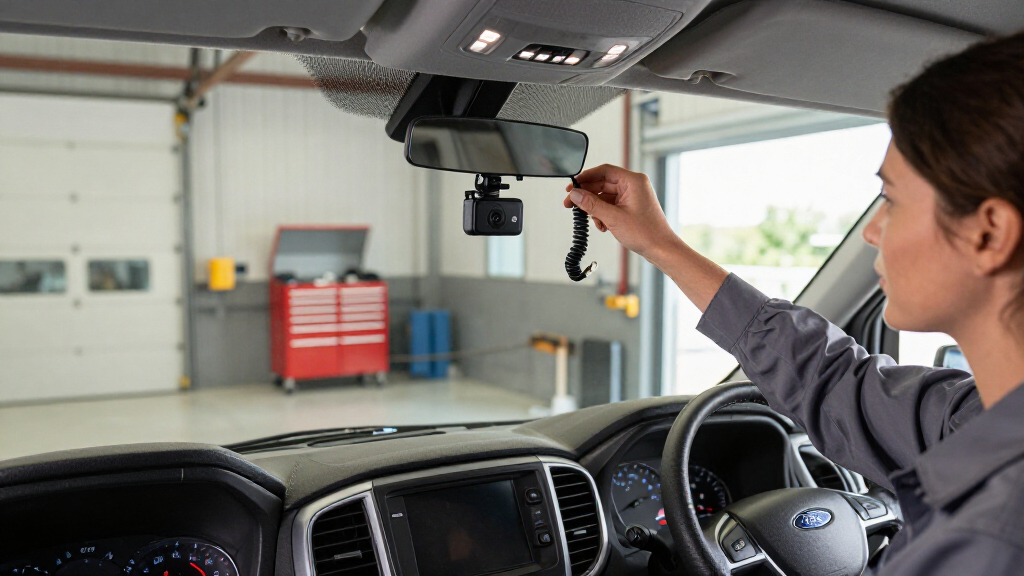

A Ford Transit dash cam has to solve a specific problem: a big van with big blind spots, used for work, parked in lots for hours, and often carrying cargo or passengers that need documenting. My top overall pick is the ROVE R2-4K Dual Dash Cam, because its Sony STARVIS 2 sensor and reliable front-plus-rear coverage hit the sweet spot of image quality, night performance, and simplicity for most Transit drivers. If you want full vehicle surveillance, the 4-Channel Dash Cam with front, rear, left, and right cameras covers the blind spots a van this size actually has, while the WOLFBOX G840S mirror cam doubles as a backup camera — a real advantage when reversing a high-roof Transit. The main tradeoff in this category is coverage versus clarity: more cameras usually means lower resolution per channel and messier wiring. Keep reading for the full breakdown of all 15 options.

Get business pricing on garage and car supplies
- Business-only prices and quantity discounts
- Tax-exempt purchasing
- Multiple users, one account, clear invoices
Complete the kit


Key Takeaways
- Dual-channel 4K models like the ROVE R2-4K and REDTIGER F7N still deliver sharper, more usable footage than multi-camera systems that split resolution across four lenses.
- Four-channel 360° systems are the natural fit for a Transit’s blind spots, but they demand the most installation effort and typically drop to 1080P on side channels.
- Every pick here includes a memory card, but capacities range from 32GB to 128GB — a four-channel camera on a 32GB card will overwrite footage far faster than a dual cam on 128GB.
- Supercapacitor models handle the temperature swings inside a parked van windshield better than battery-based cams, which matters for 24-hour parking mode.
- Mirror-style cams like the WOLFBOX G840S are the only options that add functionality (a backup display) rather than just recording, a real bonus for high-roof Transits.
| ROVE R2-4K Dual Dash Cam Front and Rear with Sony STARVIS 2 Sensor and 128GB Card |  | Best Overall | Front Resolution: 2.5K QHD upscaled to 4K | Rear Resolution: 1080p Full HD | Sensor: Sony STARVIS 2 IMX675 | VIEW LATEST PRICE | See Our Full Breakdown |
| REDTIGER F7N TOUCH 4K STARVIS 2 Dual Dash Cam, Front and Rear, 5GHz WiFi, 128GB Card |  | Best for Touchscreen Ease of Use | Front Resolution: 4K UHD | Rear Resolution: 1080p Full HD | Viewing Angles: 170° front / 140° rear | VIEW LATEST PRICE | See Our Full Breakdown |
| 4-Channel Dash Cam with Front, Rear, Left, and Right Cameras, GPS, 5G WiFi, Night Vision, 160° Wide Angle, WDR, 24H Parking Mode, Supercapacitor, 128GB Card Included |  | Best for Full Vehicle Coverage | Channels: 4 (front, rear, left, right) | Resolution: 1080p per camera | Viewing Angle: 160° wide angle | VIEW LATEST PRICE | See Our Full Breakdown |
| TERUNSOUL 3-Channel Dash Cam with 4K Front & Rear, 1080P Cabin Camera, Free 128GB Card, Night Vision, WiFi 6, GPS |  | Best for Cargo and Passenger Vans | Channels: 3 (front, rear, cabin) | Resolution: 4K front + 4K rear + 1080p cabin | Viewing Angles: 170° front, 150° rear, 150° cabin | VIEW LATEST PRICE | See Our Full Breakdown |
| Terunsoul 4K+4K Front and Rear Dash Cam with WiFi 6, GPS, Night Vision, and 128GB Card |  | Best Premium Resolution | Resolution: True 4K + 4K (front and rear) | Front Viewing Angle: 170° | Aperture: F1.5 front / F1.8 rear | VIEW LATEST PRICE | See Our Full Breakdown |
| BOTSLAB 4-Channel Dash Cam with 128GB Card, Voice Control, and App Control |  | Best for Hands-Free Control | Channels: 4 (front, sides, rear) | Front Field of View: 170° | Display: 3.18-inch touchscreen | VIEW LATEST PRICE | See Our Full Breakdown |
| ICESKY S03 4K 4-Channel Dash Cam with GPS and WiFi 6 |  | Best 4K Multi-Channel Coverage | Front Resolution: 4K / 2160p | Secondary Channels: 1080P (rear, interior, left, right) | Display: 3-inch screen | VIEW LATEST PRICE | See Our Full Breakdown |
| WOLFBOX G840S 12″ 4K Mirror Dash Cam Backup Camera with 32GB Card and GPS |  | Best Mirror Replacement for Vans | Screen Size: 12 inches, LCD touch | Front Resolution: 4K UHD (2160p) | Rear Resolution: 1080p | VIEW LATEST PRICE | See Our Full Breakdown |
| Galphi 4K Front Dash Cam with 5GHz WiFi and 32GB Memory Card |  | Best Minimalist Front Cam | Type: Front-only dash cam | Resolution: 4K UHD 2160P | Lens: 160° wide-angle, F/1.6 | VIEW LATEST PRICE | See Our Full Breakdown |
| Zunfly W2 4-Channel 360° Dash Cam, 2K + 1080P Front/Rear/Side/Interior |  | Best Value Full Coverage | Channels: 4 (front, rear, sides, interior) | Resolution: 2K front + 1080P x3 | Display: 3-inch IPS screen | VIEW LATEST PRICE | See Our Full Breakdown |
| YUINWEN W5N 4-Channel 360° Dash Cam |  | Best Budget 360° Coverage | Camera Channels: 4 (front, rear, left, right) | Front Resolution: 2K | Secondary Resolution: 1080P | VIEW LATEST PRICE | See Our Full Breakdown |
| 70mai T800E 4K Triple-Channel Dash Cam |  | Best for Rideshare and Cargo Vans | Front Resolution: 4K Ultra HD | Rear/Interior Resolution: 1080P each | Aperture: F1.55 | VIEW LATEST PRICE | See Our Full Breakdown |
| 4-Channel 360° Dash Cam with Front, Rear, Interior, and Side Cameras |  | Best All-Around Cabin Coverage | Channels: 4 (front, rear, interior, sides) | Front Resolution: 2.5K QHD (2560 x 1440) | Secondary Resolution: 720P HD | VIEW LATEST PRICE | See Our Full Breakdown |
| REDTIGER F7NP 4K Dual Dash Cam |  | Best Image Quality Per Dollar | Front Resolution: 4K (2160p) | Rear Resolution: 1080p | Sensor: STARVIS 2 CMOS, F1.5 | VIEW LATEST PRICE | See Our Full Breakdown |
| PRUVEEO 360° 4-Channel Dash Cam |  | Best GPS-Verified 360° Coverage | Channels: 4 (front, rear, left, right) | Resolution: 1080p all channels | Field of View: 360° | VIEW LATEST PRICE | See Our Full Breakdown |
| ford transit dash cam | WiFi | Included Storage | Front Resolution |
|---|---|---|---|
| ROVE R2-4K Dual Dash Cam Front | Dual-band 5.8GHz and 2.4GHz | — | 2.5K QHD upscaled to 4K |
| REDTIGER F7N TOUCH 4K STARVIS | 5.8GHz, up to 20MB/s | — | 4K UHD |
| 4-Channel Dash Cam with Front | 5GHz with iOS/Android app | — | — |
| TERUNSOUL 3-Channel Dash Cam w | Dual-band WiFi 6 (5.8GHz + 2.4GHz) | — | — |
| Terunsoul 4K+4K Front and Rear | Dual-band WiFi 6, up to 20MB/s | — | — |
| BOTSLAB 4-Channel Dash Cam wit | — | 128GB (max 512GB) | — |
| ICESKY S03 4K 4-Channel Dash C | — | 128GB microSD (max 512GB) | 4K / 2160p |
| WOLFBOX G840S 12" 4K Mirror Da | — | 32GB (max 128GB) | 4K UHD (2160p) |
| Galphi 4K Front Dash Cam with | 5GHz | 32GB (max 256GB) | — |
| Zunfly W2 4-Channel 360° Dash | — | — | — |
| YUINWEN W5N 4-Channel 360° Das | 5GHz local WiFi | 32GB SD card | 2K |
| 70mai T800E 4K Triple-Channel | — | 64GB (up to 512GB) | 4K Ultra HD |
| 4-Channel 360° Dash Cam with F | 5GHz with Viidure app | 64GB Micro SD (max 256GB) | 2.5K QHD (2560 x 1440) |
| REDTIGER F7NP 4K Dual Dash Cam | — | 128GB (max 512GB) | 4K (2160p) |
| PRUVEEO 360° 4-Channel Dash Ca | Yes | 128GB microSD (max 256GB) | — |
More Details on Our Top Picks
ROVE R2-4K Dual Dash Cam Front and Rear with Sony STARVIS 2 Sensor and 128GB Card
This option stands out as the most balanced pick for a Ford Transit because it pairs a Sony STARVIS 2 sensor with an F1.5 aperture, which matters when you’re driving an unlit van at night and need license plates to stay readable. The front footage is 2.5K upscaled to 4K — a step behind the true 4K+4K recording of the Terunsoul dual-channel model — but the tradeoff is a proven, mature platform with OTA updates and voice guidance. Compared with the REDTIGER F7N TOUCH, the ROVE adds dual-band WiFi and a supercapacitor instead of a battery, which survives hot summers parked in a van far better. Parking mode still demands a hardwire kit, so budget for that if you want 24-hour surveillance.
Pros:- Sony STARVIS 2 sensor with F1.5 aperture captures clearer nighttime footage
- Supercapacitor power handles hot parked-van conditions better than battery-based units
- Built-in GPS stamps speed and location onto footage, useful for insurance claims
- 128GB card included plus fast dual-band WiFi downloads
Cons:- Front 4K is upscaled from 2.5K, not native
- Parking mode requires a separately sold hardwire kit
Best for: Transit owners who want dependable front and rear evidence footage with strong low-light performance and heat tolerance
Not ideal for: Buyers wanting native 4K detail in both directions — the rear channel is capped at 1080p and the front is upscaled
- Front Resolution:2.5K QHD upscaled to 4K
- Rear Resolution:1080p Full HD
- Sensor:Sony STARVIS 2 IMX675
- Aperture:F1.5 front / F1.8 rear
- WiFi:Dual-band 5.8GHz and 2.4GHz
- Storage:128GB card included, up to 1TB supported
- Power:Built-in supercapacitor
- Parking Mode:Time-lapse, motion, collision (hardwire kit required)
Our verdict“The safest all-around choice for a Transit driver who values night footage quality and long-term reliability over maximum resolution specs.”
REDTIGER F7N TOUCH 4K STARVIS 2 Dual Dash Cam, Front and Rear, 5GHz WiFi, 128GB Card
Where the ROVE R2-4K relies on buttons and app control, the F7N TOUCH puts a full touchscreen on the unit itself, which makes changing settings or locking a clip mid-drive far less fiddly — helpful in a Transit where the camera may sit beyond easy reach of the driver’s seat. Add voice control and you can trigger recordings without taking your hands off the wheel. The native 4K front recording edges out the ROVE’s upscaled output, though the 170° lens introduces more edge distortion. The suction-cup mount is a mixed blessing: easier to reposition or move between vehicles than the Terunsoul’s fixed wiring, but less secure over rough job-site roads. Like most picks here, parking monitoring needs a separate hardwire kit.
Pros:- Native 4K front recording with STARVIS 2 and WDR/HDR
- Touchscreen plus voice control reduces distraction while driving
- Built-in GPS and fast 5.8GHz WiFi for route data and footage transfer
- 128GB card included with 18-month warranty
Cons:- Suction cup mount is less secure than adhesive alternatives on rough roads
- Rear camera is limited to 1080p
- Parking monitoring requires a separate hardwire kit
Best for: Drivers who want on-device touchscreen and voice control rather than fumbling with phone apps
Not ideal for: Anyone planning frequent rough-road driving — the suction mount is more vulnerable than adhesive mounts
- Front Resolution:4K UHD
- Rear Resolution:1080p Full HD
- Viewing Angles:170° front / 140° rear
- WiFi:5.8GHz, up to 20MB/s
- Control:Touchscreen, voice, buttons
- Storage:128GB card included
- Warranty:18 months
Our verdict“The pick for Transit drivers who prioritize quick, hands-on control without reaching for a phone app.”
4-Channel Dash Cam with Front, Rear, Left, and Right Cameras, GPS, 5G WiFi, Night Vision, 160° Wide Angle, WDR, 24H Parking Mode, Supercapacitor, 128GB Card Included
For a work van that doubles as a job-site vehicle, 360° four-camera coverage solves a problem dual units can’t: side impacts, tight alley scrapes, and door damage from other vehicles. Each of the four cameras records 1080p, which is lower detail than the TERUNSOUL 3-channel’s 4K front footage — the tradeoff is breadth over sharpness. The 8 infrared lights give it genuine dark-vision capability the ROVE R2-4K lacks, which matters for overnight parking in dim lots. Like its rivals, the supercapacitor design tolerates heat well. The real cost is convenience: GPS is an optional add-on rather than built-in, so you’ll spend more to match the location stamping that comes standard on the REDTIGER and TERUNSOUL units.
Pros:- Four simultaneous Full HD cameras cover front, rear, and both sides
- 8 infrared lights plus WDR deliver usable footage in near-darkness
- Supercapacitor power resists heat damage in parked vans
- 128GB card included with incident lock and loop recording
Cons:- GPS logger sold separately, unlike rivals with built-in GPS
- Parking mode requires an additional hardwire kit
- Four cameras mean a longer, more intrusive installation
Best for: Tradespeople and delivery drivers who need side and rear coverage against blind-spot collisions and parking-lot damage
Not ideal for: Detail-focused buyers who need 4K license-plate capture — all four channels are 1080p
- Channels:4 (front, rear, left, right)
- Resolution:1080p per camera
- Viewing Angle:160° wide angle
- Night Vision:8 infrared lights
- WiFi:5GHz with iOS/Android app
- Storage:128GB card included
- Power:Supercapacitor
Our verdict“Choose this when coverage in every direction matters more than maximum resolution — ideal for high-risk urban van routes.”
TERUNSOUL 3-Channel Dash Cam with 4K Front & Rear, 1080P Cabin Camera, Free 128GB Card, Night Vision, WiFi 6, GPS
This model is built for exactly the scenario many Transit owners face: 4K recording outside plus a cabin camera inside. If you carry tools, packages, or paying passengers, interior footage protects against theft claims and passenger disputes in a way the ROVE R2-4K and REDTIGER F7N simply can’t match. The 4 IR cabin lights record the interior even with no cabin lighting at night — something a standard 1080p front unit cannot do. Compared with the 4-channel unit, you give up side coverage but gain much sharper 4K front and rear detail for plate capture. WiFi 6 with OTA updates keeps the firmware current without pulling the card. Note that the 3-year guarantee is the longest coverage in this batch, though the hardwire kit for parking mode is — once again — extra.
Pros:- 4K front and rear plus 1080p cabin camera in one system
- IR cabin lights record interior activity in total darkness
- WiFi 6 dual-band with OTA firmware updates
- 3-year guarantee, the longest in this lineup
Cons:- Parking monitoring requires a hardwire kit sold separately
- Cabin camera is limited to 1080p
- Three channels consume storage faster than dual setups
Best for: Transit owners transporting cargo, tools, or passengers who need interior evidence footage
Not ideal for: Private van owners who never carry passengers or valuables — the cabin camera adds cost and clutter
- Channels:3 (front, rear, cabin)
- Resolution:4K front + 4K rear + 1080p cabin
- Viewing Angles:170° front, 150° rear, 150° cabin
- WiFi:Dual-band WiFi 6 (5.8GHz + 2.4GHz)
- GPS:Built-in speed and location tracking
- Storage:128GB included, up to 512GB
- Warranty:3 years
Our verdict“The clear choice for anyone using their Transit commercially and needing to see what happens inside the van, not just outside it.”
Terunsoul 4K+4K Front and Rear Dash Cam with WiFi 6, GPS, Night Vision, and 128GB Card
This is the pick when maximum detail is non-negotiable: true 4K from both front and rear cameras, not the upscaled front and 1080p rear you get on the ROVE R2-4K or REDTIGER F7N. For a long Transit, that matters — a rear camera on a van sits far from following traffic, and native 4K keeps plates legible at that distance where 1080p often fails. The F1.5/F1.8 aperture pairing and AProX HD night vision hold their own against the ROVE’s STARVIS setup. The catch versus its sibling TERUNSOUL 3-channel is coverage: no cabin or side cameras, so it’s strictly an outside-view system. The included 128GB card fills quickly at 4K+4K, though support up to 512GB softens that. Parking monitoring, predictably, needs the hardwire kit.
Pros:- True native 4K recording from both front and rear cameras
- F1.5/F1.8 apertures with night vision for low-light capture
- WiFi 6 dual-band transfers footage at up to 20MB/s
- 3-year warranty with 128GB card included
Cons:- Hardwire kit for 24-hour parking monitoring sold separately
- Dual 4K streams fill storage faster and lack cabin or side channels
Best for: Evidence-focused drivers who need legible license plates from both directions on long vans
Not ideal for: Anyone wanting interior or side coverage — this is a front-and-rear-only system
- Resolution:True 4K + 4K (front and rear)
- Front Viewing Angle:170°
- Aperture:F1.5 front / F1.8 rear
- WiFi:Dual-band WiFi 6, up to 20MB/s
- Storage:128GB included, up to 512GB
- GPS:Built-in speed and location tracking
- Warranty:3 years
Our verdict“The resolution king of this batch — buy it if sharp footage in both directions matters more than multi-angle coverage.”
BOTSLAB 4-Channel Dash Cam with 128GB Card, Voice Control, and App Control
This option stands out for its voice control and app control combo, which is rare in this price bracket and genuinely useful when you’re parked in a loading bay and need to lock a clip without reaching across the cab. The detachable magnetic side cameras let you position coverage around a Transit’s blind spots rather than accepting a fixed layout — an advantage over the Zunfly W2, whose channel positions are more rigid. Compared with the ICESKY S03, the touchscreen here is slightly larger and adds sentry-style collision pre-recording, though total resolution is lower. Parking mode functions well but only after you buy the separately sold hardwire kit, and Wi-Fi drops off beyond a few meters, so download footage while standing near the van.
Pros:- Four channels with magnetically detachable side cameras for custom placement
- Voice, app, and touchscreen control from the 3.18-inch display
- 128GB card included with support up to 512GB
- Collision detection and 8-second pre-recording capture incidents you’d otherwise miss
Cons:- Parking mode requires a separate hardwire kit
- Wi-Fi range limited to 3-5 meters with no remote access
- Four-channel files eat storage faster than dual setups
Best for: Delivery and trades drivers who want adjustable side-camera placement and hands-free clip saving
Not ideal for: Buyers wanting remote monitoring or cloud access — Wi-Fi is short-range only with no remote features
- Channels:4 (front, sides, rear)
- Front Field of View:170°
- Display:3.18-inch touchscreen
- Included Storage:128GB (max 512GB)
- Connectivity:5.8GHz Wi-Fi, GPS built-in
- Night Vision:F1.8, 940nm IR LED, WDR
- Power Source:Supercapacitor
Our verdict“A strong pick for working Transit drivers who value flexible camera placement and voice control over raw 4K resolution.”
ICESKY S03 4K 4-Channel Dash Cam with GPS and WiFi 6
If front-plate detail matters most — say, for insurance claims involving an oncoming vehicle — the S03’s 4K front camera gives it a clear edge over the BOTSLAB G980H and Zunfly W2, both of which top out lower on the primary lens. The secondary interior, side, and rear channels record at 1080P, which is enough for context but not for reading distant plates. WiFi 6 makes clip downloads to a phone noticeably smoother than older 2.4GHz systems, and the included 128GB card means you’re recording on day one. The tradeoff is complexity: running five camera positions in a Transit takes patience, and unlike the WOLFBOX G840S, there’s no large display to help you frame the rear view during installation.
Pros:- 4K front recording with 1080P rear, interior, and both side views
- WiFi 6 enables fast app preview and downloads
- Built-in GPS logs speed, route, and location data
- 128GB card included, expandable to 512GB
Cons:- Hardwire kit for 24-hour parking mode not included
- All secondary channels limited to 1080P
- Multi-camera installation is more complex than dual or single units
Best for: Fleet operators and rideshare drivers who need 4K front detail plus interior and side coverage
Not ideal for: Drivers who want a quick single-cable install — the five-camera routing is genuinely involved
- Front Resolution:4K / 2160p
- Secondary Channels:1080P (rear, interior, left, right)
- Display:3-inch screen
- Connectivity:5.8GHz WiFi 6
- Included Storage:128GB microSD (max 512GB)
- Night Vision:8 IR lights on side cameras
- GPS:Built-in
Our verdict“The pick for buyers who refuse to compromise on front-camera resolution while still wanting full 360-degree context.”
WOLFBOX G840S 12″ 4K Mirror Dash Cam Backup Camera with 32GB Card and GPS
A Transit’s stock mirrors leave plenty to desire in tight urban maneuvering, and the G840S solves two problems at once: it replaces the rearview mirror with a 12-inch streaming display while recording 4K front and 1080p rear footage. Compared with the Galphi’s screen-free design, this display is a major functional difference — you get live rear viewing, split-screen modes, and instant playback without touching your phone. The low-reflectivity LCD performs well in bright sun where cheaper mirror cams wash out. The compromises are real though: a 32GB card is thin for 4K footage, storage maxes out at 128GB versus 512GB on the ICESKY S03, and parking mode needs a hardwire kit. The 12-month warranty also excludes damage from non-original accessories, so stick with WOLFBOX parts.
Pros:- 12-inch display doubles as a live backup camera with split-screen viewing
- 4K UHD front and 1080p rear recording with 170°/140° coverage
- WDR/HDR night vision and low-reflectivity screen
- External GPS antenna and 5.8GHz WiFi included
Cons:- 32GB card fills quickly at 4K and storage caps at 128GB
- Hardwire kit for parking monitor sold separately
- Warranty voided by non-original accessories or improper install
Best for: Transit owners with poor rear visibility who want a dash cam and backup display in one unit
Not ideal for: Drivers who prefer a minimal windshield — a 12-inch screen dominating the mirror is a big visual change
- Screen Size:12 inches, LCD touch
- Front Resolution:4K UHD (2160p)
- Rear Resolution:1080p
- Fields of View:170° front, 140° rear
- Included Storage:32GB (max 128GB)
- Connectivity:5.8GHz WiFi, USB, external GPS antenna
- Warranty:12 months
Our verdict“The best choice if rear visibility is as big a concern as recording — it’s a backup camera and dash cam in a single install.”
Galphi 4K Front Dash Cam with 5GHz WiFi and 32GB Memory Card
Not every Transit driver needs five cameras. The Galphi does one job — 4K front recording through a 160° lens — in a compact, screen-free body that hides neatly behind the mirror. That screen-free design is the whole point: unlike the WOLFBOX G840S with its 12-inch display or the Zunfly W2’s 3-inch panel, there’s nothing in your eyeline or tempting you to tap while driving. The F/1.6 aperture is actually the widest in this lineup, helping low-light capture. Be clear about the limitations, though: no rear or side coverage means no protection against rear-end hits or door dings in parking lots, settings require the app, and the 32GB card won’t survive a long week of 4K loop recording without management.
Pros:- Sharp 4K UHD recording with a wide 160° field of view
- Screen-free, compact design keeps the windshield clear
- Bright F/1.6 lens with WDR for strong night footage
- 5GHz WiFi makes app downloads and playback quick
Cons:- No rear, side, or interior coverage at all
- Parking mode needs a separately purchased Type-C hardwire kit
- No screen — all settings and playback go through the app
Best for: Drivers who want sharp front-only coverage with zero dash clutter or screen distraction
Not ideal for: Anyone needing rear or side evidence — a single front lens can’t capture a rear-end collision or parking-lot impact
- Type:Front-only dash cam
- Resolution:4K UHD 2160P
- Lens:160° wide-angle, F/1.6
- WiFi:5GHz
- Included Storage:32GB (max 256GB)
- Night Vision:WDR
- Design:Screen-free, Type-C powered
Our verdict“The right pick if front-incident evidence and a distraction-free cab matter more than full coverage.”
Zunfly W2 4-Channel 360° Dash Cam, 2K + 1080P Front/Rear/Side/Interior
For buyers who want every angle covered without paying for 4K, the W2 hits a practical sweet spot: 2K front plus 1080P rear, sides, and interior, with a 64GB card, GPS, and WiFi all in the box. Compared with the Galphi, you gain four extra views for incident evidence; compared with the ICESKY S03, you give up front-camera resolution but get an interior lens the S03 also offers at a higher complexity. The supercapacitor power source is a durability win in temperature extremes — something heat-soaked van interiors appreciate. The two drawbacks to weigh: expansion stops at 128GB, which is tight for four channels, and like nearly every multi-camera unit here, parking mode needs a hardwire kit you buy separately. Wiring four lenses through a Transit also takes an afternoon, not minutes.
Pros:- Four-channel coverage of front, rear, sides, and interior
- 64GB card, 5GHz WiFi, and GPS included
- WDR plus 8 IR lamps for low-light recording
- Supercapacitor handles extreme temperatures better than batteries
Cons:- Storage expansion limited to 128GB
- Four-camera installation is time-consuming in a van
- Hardwire kit for parking mode sold separately
Best for: Budget-minded owners who want complete 360° evidence coverage without paying 4K prices
Not ideal for: Long-haul drivers recording daily — the 128GB storage ceiling fills fast with four channels running
- Channels:4 (front, rear, sides, interior)
- Resolution:2K front + 1080P x3
- Display:3-inch IPS screen
- Viewing Angles:170° + 2 x 150° + 170°
- Night Vision:WDR, 8 IR lamps, F1.8, 6-layer glass
- Storage:64GB included, max 128GB
- Power Backup:Supercapacitor
Our verdict“The most sensible way to get full-vehicle coverage on a budget, provided you accept 2K front detail and a patient install.”
YUINWEN W5N 4-Channel 360° Dash Cam
For Transit owners who want full-perimeter recording without a premium price, this option stands out for delivering four-camera coverage at an entry-level cost. The 2K front camera paired with 1080P rear and side views beats the PRUVEEO F7NP alternative, which caps every channel at 1080p. Compared with the similar Zunfly W2, the W5N trades GPS for a lower price point, so there’s no speed or route logging for incident verification — that’s the real tradeoff here. Parking mode also depends on a separately sold Type-C hardwire kit, a hidden cost buyers should factor in. The included 32GB card is enough to start recording immediately, though four channels will eat through it faster than a dual-camera setup like the REDTIGER F7NP would.
Pros:- Four-channel 360° coverage with 2K front resolution for the price of many dual cams
- 32GB SD card included so it records out of the box
- 5GHz WiFi and Viidure app simplify previewing and downloading footage
- Super capacitor handles temperature swings better than battery-based units
Cons:- Parking mode requires a separately sold Type-C hardwire kit
- No GPS logging, so footage lacks speed and location data
- Side and rear cameras limited to 1080P
Best for: Budget-conscious Transit drivers who prioritize blind-spot and side-impact coverage over resolution extras
Not ideal for: Anyone who needs GPS evidence data or remote cloud viewing — local WiFi only means no internet access to footage
- Camera Channels:4 (front, rear, left, right)
- Front Resolution:2K
- Secondary Resolution:1080P
- WiFi:5GHz local WiFi
- Night Vision:8 IR LEDs with WDR
- Included Storage:32GB SD card
- Power Source:Super capacitor
Our verdict“A sensible pick if 360° side coverage matters more to you than GPS data or 4K sharpness.”
70mai T800E 4K Triple-Channel Dash Cam
What sets the T800E apart in this lineup is its 4K front camera plus a dedicated interior channel — a combination none of the four-camera options here offer at that front resolution. For a Transit used for rideshare, delivery, or carrying passengers, the interior camera with switchable infrared captures what happens inside the cabin, which side-facing cameras on the YUINWEN W5N only partially see. The Wi-Fi 6 transfer speeds are noticeably quicker than the standard 5GHz WiFi on the REDTIGER F7NP when pulling 4K clips to a phone. The tradeoff is coverage shape: you lose the left/right exterior views that 360° models provide, and continuous parking monitoring needs an optional hardwire kit. Still, for evidence quality per channel, this model is hard to beat.
Pros:- 4K front resolution with interior and rear channels in one unit
- HDR night vision with switchable IR for the cabin camera
- Wi-Fi 6 delivers faster footage transfers than standard 5GHz rivals
- 64GB card included with support up to 512GB
Cons:- No 4G connectivity for remote live viewing
- Continuous parking monitoring requires an optional hardwire kit
- In-person installation support carries an added fee
Best for: Rideshare and delivery drivers who need cabin footage and maximum front-camera detail
Not ideal for: Drivers worried about side-impact collisions — with no side cameras, a T-bone at an intersection may only be partially captured
- Front Resolution:4K Ultra HD
- Rear/Interior Resolution:1080P each
- Aperture:F1.55
- Connectivity:Wi-Fi 6
- GPS:Built-in 5-mode GPS
- Included Storage:64GB (up to 512GB)
- Power Source:Super capacitor
Our verdict“The strongest choice for Transit operators whose liability lives inside the vehicle as much as outside it.”
4-Channel 360° Dash Cam with Front, Rear, Interior, and Side Cameras
This model takes a different approach from the YUINWEN W5N by including an interior camera alongside the exterior views, making it one of the few options here that genuinely watches everything at once. The 2.5K QHD front camera sits between the W5N’s 2K and the 70mai T800E’s 4K, and the F1.8 aperture with WDR holds up reasonably in low light. The compromise is clear on the secondary cameras: at 720P, the rear, interior, and side channels trail the 1080P output of both the W5N and the PRUVEEO, so fine details like distant plates may blur. The included 64GB card plus flexible loop and time-lapse settings help manage the data load from five simultaneous views, but storage management becomes a routine chore.
Pros:- Simultaneous front, rear, interior, and side recording from one head unit
- 2.5K QHD front camera with F1.8 aperture and WDR
- 64GB card, 5GHz WiFi, and Viidure app playback included
- Waterproof rear camera with both suction cup and 3M mounting options
Cons:- Secondary cameras record at only 720P
- Parking mode requires a separately sold ACC hardwire kit
- Four-channel recording demands frequent storage management
Best for: Fleet and rideshare operators who want interior plus exterior recording in a single purchase
Not ideal for: Detail-focused drivers — 720P secondary cameras won’t reliably capture license plates from rear or side angles
- Channels:4 (front, rear, interior, sides)
- Front Resolution:2.5K QHD (2560 x 1440)
- Secondary Resolution:720P HD
- Front Aperture:F1.8
- WiFi:5GHz with Viidure app
- Included Storage:64GB Micro SD (max 256GB)
- Display:3.0-inch LCD
Our verdict“Pick this when you need every angle covered at once and can accept softer secondary footage.”
REDTIGER F7NP 4K Dual Dash Cam
If your priority is sharp, admissible-looking footage rather than sheer camera count, this dual-channel model makes the most sense. The STARVIS 2 sensor and F1.5 aperture produce night footage that multi-camera budget units like the YUINWEN W5N simply can’t match, and the 128GB included card doubles the storage of the 70mai T800E’s bundle. Unlike the 360° options, there are no side or interior cameras — but that focused design is exactly why front and rear quality stays high. Built-in GPS logs speed and location, something the W5N lacks entirely. The main frustrations are practical: 4K files consume storage fast, and the unit is picky about charging cables, so non-original accessories can cause reliability problems.
Pros:- STARVIS 2 sensor with F1.5 aperture excels in low light
- 4K front and 1080P rear with 170°/140° coverage
- Built-in GPS and 5.8GHz WiFi for logged, easily shared footage
- 128GB card included with support up to 512GB
Cons:- Parking mode requires a separate hardwire kit
- Sensitive to non-original or low-quality charging accessories
- 4K recording consumes storage quickly
Best for: Drivers who want the clearest possible front and rear evidence footage without managing multiple cameras
Not ideal for: Van owners concerned about side impacts or cargo-area tampering — two channels leave real blind spots
- Front Resolution:4K (2160p)
- Rear Resolution:1080p
- Sensor:STARVIS 2 CMOS, F1.5
- Field of View:170° front / 140° rear
- GPS:Built-in
- Included Storage:128GB (max 512GB)
- Power Source:Supercapacitor
Our verdict“The pick for evidence quality over coverage breadth — ideal if front and rear angles cover your risk.”
PRUVEEO 360° 4-Channel Dash Cam
This PRUVEEO model is the only four-camera option in this batch that adds built-in GPS, logging speed, location, and route alongside every clip — a meaningful edge over the YUINWEN W5N when footage needs to stand up in an insurance dispute. All four channels record at 1080p, which matches the W5N’s secondary cameras but falls short of the REDTIGER F7NP’s 4K front detail. The time-lapse parking mode compresses an hour of monitoring into a minute of footage, a smart storage strategy the four-channel competitor at similar pricing doesn’t match, and the included 128GB card gives you the most bundled storage among the 360° picks. Just budget for the hardwire kit, since parking mode won’t function without it.
Pros:- Four 1080p cameras with GPS speed and route logging on every clip
- Time-lapse parking mode conserves storage during long monitoring periods
- 128GB microSD card included — the largest bundle among 360° options here
- Supercapacitor design avoids battery overheating in a hot parked van
Cons:- All channels capped at 1080p with no higher-resolution front option
- Parking mode requires a separately sold ACC hardwire kit
- Storage ceiling of 256GB limits long-term retention
Best for: Transit drivers who want full 360° coverage with GPS speed and route data for dispute protection
Not ideal for: Detail obsessives — uniform 1080p resolution means no 2K or 4K front channel for plate capture at distance
- Channels:4 (front, rear, left, right)
- Resolution:1080p all channels
- Field of View:360°
- GPS:Built-in with speed and route tracking
- WiFi:Yes
- Included Storage:128GB microSD (max 256GB)
- Power Source:Supercapacitor
Our verdict“The strongest 360° choice when GPS-verified footage matters more than maximum resolution.”
How We Picked
I judged every camera against the realities of owning a Ford Transit: a large cabin, long wire runs to the rear doors, extended parking in job-site lots, and the need for footage that actually holds up in an insurance dispute. Image quality per channel came first — a 4K front sensor with STARVIS-style night performance beats four mediocre lenses. Coverage layout came second, since a Transit’s size makes side and interior views genuinely useful rather than gimmicky. I also weighed installation complexity, connectivity (WiFi 6 and 5GHz WiFi transfer footage to a phone far faster than older 2.4GHz-only units), parking mode reliability, and whether a supercapacitor or battery handles heat.
The ranking order reflects a simple philosophy: for most working vans, a sharp dual-channel cam you install properly beats a fuzzy four-channel system you never finish wiring. That is why the ROVE and REDTIGER dual units lead, multi-channel systems fill the middle for drivers who need blind-spot coverage, and single-channel or lower-capacity options sit lower for niche budgets.
Factors to Consider When Choosing Ford Transit Dash Cam
Before picking a specific model, it helps to understand what actually separates a useful Transit dash cam setup from an expensive gadget that records footage you can barely read. These are the factors that shaped my rankings.Camera Count: More Is Not Automatically Better
The biggest mistake Transit buyers make is assuming a four-channel system is automatically superior. Each added lens splits your budget for sensors, processing, and storage, which is why most four-camera kits record sides at only 1080P while a dedicated dual cam captures 4K front footage. Ask yourself what you actually need to prove after an incident: for most insurance claims, a clear front plate capture matters more than a grainy side view. Four-channel systems earn their keep for fleet vans, rideshare drivers, and anyone parking in tight urban spots where side-swipes are the realistic risk. A dual cam with excellent night sensors will outperform a budget 360° kit when the lighting gets bad — and bad lighting is exactly when accidents happen.
Memory Card Capacity and Loop Overwrite Behavior
Storage is the most overlooked spec on the box. A 4K front channel can consume 128GB in roughly a day of driving, and a four-channel system recording continuously will burn through a 32GB card in a few hours. That means the difference between a bundled 32GB and 128GB card is not a small perk — it determines how far back your footage history reaches. If you rely on parking mode and might not check the van for days, a small card means the incident could already be overwritten before you look. Plan on buying a larger card than included for any multi-channel system, and stick to high-endurance cards, since ordinary cards fail quickly under constant loop recording.
Power and Parking Mode: Supercapacitor vs. Battery
A Ford Transit windshield can reach extreme interior temperatures when parked, and heat kills lithium batteries inside dash cams. Models with a supercapacitor instead of a battery survive heat and cold far better, but they hold no charge when power is cut — so parking mode requires a hardwire kit with low-voltage protection to avoid draining your starter battery. If 24-hour surveillance of tools or cargo matters to you, this is non-negotiable. Battery-based cams can run briefly on internal power but degrade in hot vans within a season or two. Match your power plan to your parking situation before you choose a camera, not after.
Mounting and Wiring in a Full-Size Van
Installation difficulty scales with vehicle size, and a Transit presents long wire runs from the windshield to the rear doors — often fifteen feet or more once you route along the headliner and door trim. Rear-channel and four-channel kits for vans should include generous cable length; kits designed for sedans sometimes fall short. T-tap or fuse-tap hardwiring into the Transit’s fuse box is cleaner than a 12V outlet plug, which occupies the socket you probably need for phone charging or an inverter. If you are not comfortable removing trim panels, budget for professional installation, especially for 360° systems that need side-camera placement near the mirrors.
Connectivity and Footage Retrieval Speed
When you need to show an adjuster or officer a clip, transfer speed matters. Older 2.4GHz WiFi can take several minutes to move a single 4K clip to your phone, while 5GHz WiFi and WiFi 6 units move the same file in a fraction of the time. App quality varies more than spec sheets suggest, too: some apps make clip export and sharing straightforward, others bury it behind menus. GPS embedding is worth having because it stamps speed and location into the footage, which strengthens your version of events in a dispute. Voice control is a convenience feature that genuinely helps in a work van where your hands are busy.
Mirror Cams vs. Discreet Cams for Work Vans
A mirror-style cam like the WOLFBOX replaces your rearview mirror with a display, which sounds gimmicky but solves a real Transit problem: rear visibility through a cargo van is often useless anyway, and a mirror cam turns that dead mirror into a live backup display. The tradeoff is size and visibility — a 12-inch mirror unit is obvious to anyone walking past, whereas a small windshield wedge cam can be nearly invisible from outside. For tradespeople carrying tools, an obvious camera can act as either a deterrent or a theft target depending on your neighborhood. Decide whether you want your camera seen or not before choosing a form factor.
Frequently Asked Questions
Is a front-and-rear dash cam enough for a Ford Transit, or do I need a 360° four-channel system?
For most Transit drivers, a quality front-and-rear setup covers the scenarios that actually generate insurance claims: rear-end collisions, front plate captures, and hit-and-run damage fore and aft. A 360° system becomes worthwhile when your van’s size creates specific risks — tight city parking, side-swipes in lanes, fleet liability, or carrying passengers who might dispute events inside the cabin. Keep in mind that four-channel kits usually record side channels at 1080P, so you trade per-camera clarity for coverage. If your budget only stretches to one, spend it on the sharpest dual channel you can afford rather than the most cameras.
Will a dash cam drain my Transit’s battery if I use parking mode?
It can, if you power it from the 12V outlet without any protection — the outlet often stays live with the ignition off on commercial vans, and a multi-channel cam recording all night pulls real current. The safe approach is a hardwire kit with a low-voltage cutoff, which shuts the camera down before the starter battery drops to a risky level. Supercapacitor models need this hardwire connection anyway since they hold no internal charge. If your Transit sits for days at a time or lives in cold climates, set the voltage cutoff conservatively or use motion-triggered parking mode instead of continuous recording.
Do I need 4K resolution, or is 2K/1440P enough to read license plates?
4K genuinely helps for plate capture, but only on the front channel and only in decent light — at night, sensor quality matters more than resolution, which is why STARVIS-class sensors top my rankings. A 4K sensor with a weak lens will produce soft footage that no resolution number fixes. Where 4K matters least is on rear and side channels, where you mostly need to prove what happened rather than read fine detail. If you are choosing between a 4K dual cam and a 2K four-channel system at similar cost, think about whether your realistic incident involves a plate in front of you or contact on your sides.
How hard is it to install a rear or multi-channel camera in a Transit myself?
A dual-channel install is a Saturday-afternoon job for most people: you route one cable along the headliner, down a pillar, and to the rear doors using the trim panel gaps, with no cutting required. Four-channel systems are a step up in difficulty because side cameras need placement near the mirrors and their wiring crosses hinge points on the sliding and rear doors, which takes patience and the right trim tools. If your Transit is a work vehicle with upfits or shelving, access gets harder and professional installation starts looking reasonable. Budget two to three hours for a dual cam and most of a day for a clean four-channel install.
Are mirror dash cams a good idea on a cargo Transit with no rear window?
Yes, and arguably they make more sense on a windowless cargo van than on any car. Your factory rearview mirror shows you a steel wall or cargo, so replacing it with a live camera feed turns dead equipment into a genuinely useful reversing aid for hitching trailers or backing to a loading dock. The compromises are real, though: a 12-inch display is bright and noticeable at night, it can be a theft magnet in some areas, and the camera quality on mirror units typically trails dedicated wedge cams. If rear visibility is your pain point, the WOLFBOX-style mirror cam is the logical pick; if discreet incident recording is the goal, choose a compact unit instead.
Conclusion
The right Ford Transit dash cam depends less on specs and more on how you use your van. For best overall, the ROVE R2-4K delivers the sharpest front footage and dependable rear coverage with the fewest compromises — the choice I would point most working Transit owners toward. The REDTIGER F7NP takes best value in a dual-channel 4K package with a full 128GB card, while the touch-screen REDTIGER F7N is the best premium dual-cam for drivers who want faster WiFi and a nicer interface. For full-coverage needs — fleets, rideshare, or urban parking — the 4-Channel 360° systems from BOTSLAB, Zunfly, and PRUVEEO cover blind spots a Transit genuinely has, with the ICESKY S03 and TERUNSOUL three-channel options splitting the difference. The WOLFBOX G840S stands alone as the pick for rear visibility and reversing, and the Galphi 4K front cam is the sensible beginner or budget entry point if you want to start simple. Whatever you choose, pair it with a high-endurance card sized to your channel count and hardwire it properly — those two decisions determine whether your camera actually delivers when you need the footage.
Fall Picks
fall essentials
As an affiliate, we earn on qualifying purchases.