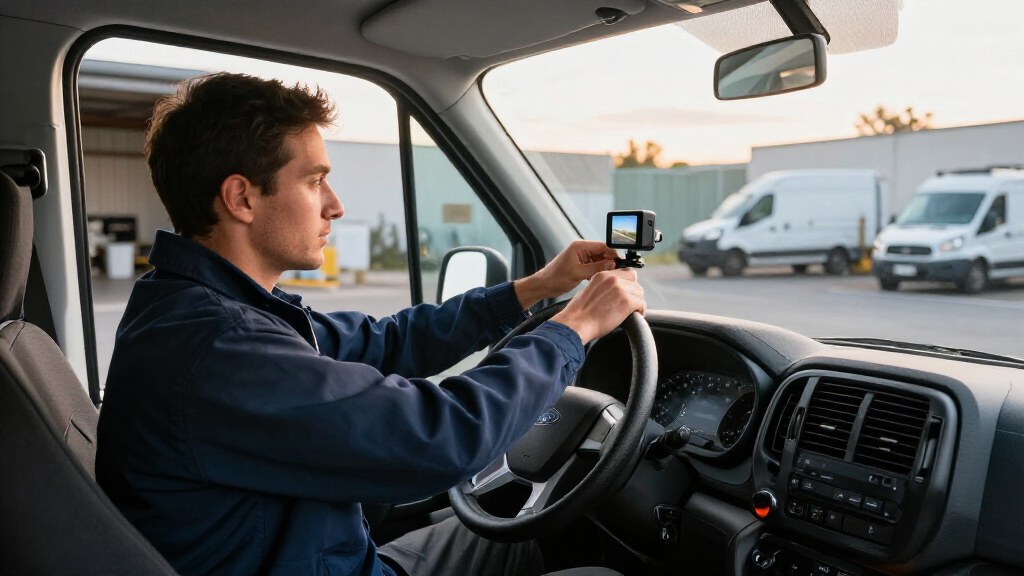

Ford Transit cargo van dash cameras vary most in how much of the van they record: the 3-Channel 4K Dash Cam with STARVIS 2 is my best overall pick for its front, rear, and cabin coverage, bundled storage, Wi-Fi 6, and GPS. The ARIFAYZ Front and Rear Dual Dash Cam is a simpler value choice, while the BOTSLAB 4-Channel Dash Cam suits buyers who want wider camera coverage and voice and app controls. The main tradeoff is between straightforward front-and-rear recording and added interior or multi-angle coverage, which can take more installation effort. Cargo-van owners should also check that rear-camera placement and wiring work with their specific Transit layout. Read on for how the six options compare and which type of setup fits your driving.

Get business pricing on garage and car supplies
- Business-only prices and quantity discounts
- Tax-exempt purchasing
- Multiple users, one account, clear invoices
Complete the kit


Key Takeaways
- The STARVIS 2 three-channel model ranks first because its stated front, rear, and cabin coverage, 128GB card, Wi-Fi 6, and GPS make it the most balanced feature set in this group.
- ARIFAYZ is the simpler two-camera value pick, pairing front-and-rear recording with a supplied 64GB card; it gives up the cabin view found on three- and four-channel options.
- Two different three-channel choices serve different priorities: Jzones highlights 4K recording and front, rear, and cabin views, while the other three-channel model offers the same stated camera layout without the listed STARVIS 2, Wi-Fi 6, and GPS features.
- ROVE R2-4K is the straightforward dual-camera alternative for buyers who want front and rear coverage rather than an interior camera or a more elaborate multi-camera system.
- BOTSLAB offers the broadest stated camera count with four channels, but buyers should weigh its extra coverage and controls against the added mounting and wiring complexity.
| ARIFAYZ Front and Rear Dual Dash Cam 4K+1080P with Free 64GB Card, WiFi, Night Vision, Parking Monitor, Loop Recording |  | Best Compact Dual-Camera Pick | Video resolution: Front 4K at 30fps; rear 1080p at 25fps | Field of view: 160° front; 150° rear | Connectivity: Built-in Wi-Fi; smartphone app | VIEW LATEST PRICE | See Our Full Breakdown |
| 3-Channel 4K Dash Cam with STARVIS 2, 128GB Card, Wi-Fi 6, and GPS |  | Best for Fleet-Style Coverage | Recording channels: 3 | Video resolution: 4K front; 2K rear; 1080p cabin | Image sensor: STARVIS 2 | VIEW LATEST PRICE | See Our Full Breakdown |
| Jzones 4K 3-Channel Dash Cam with Front, Rear, and Cabin Cameras |  | Best for Night-Shift Drivers | Channels: 3 | Video resolution: 4K front; 1080p rear and cabin | Field of view: 155° front; 130° rear; ultra-wide cabin | VIEW LATEST PRICE | See Our Full Breakdown |
| ROVE R2-4K Dual Dash Cam with Front and Rear Cameras |  | Best Dual-Cam Choice for GPS Logging | Front video: 2.5K QHD sensor; upscaled to 4K (2160p) | Rear video: 1080p Full HD | Front sensor: Sony STARVIS 2 IMX675, 5MP | VIEW LATEST PRICE | See Our Full Breakdown |
| 3-Channel 4K Dash Cam with Front, Rear, and Cabin Cameras |  | Best for Broad Surrounding Coverage | Channels: 3 | Listed video resolution: 4K + 1K + 1K; description also states 1080p interior video | Sensor: STARVIS 2 | VIEW LATEST PRICE | See Our Full Breakdown |
| BOTSLAB 4-Channel Dash Cam with 128GB Card, Voice and App Control |  | Best for All-Around Van Coverage | Camera configuration: 4-channel; 3K + 1080P × 3 | Field of view: 560° total | Camera angles: 170° front, 120° each side, 150° rear | VIEW LATEST PRICE | See Our Full Breakdown |
| Ford Transit cargo van dash camera | Field of view | Connectivity | Included storage | Parking mode |
|---|---|---|---|---|
| ARIFAYZ Front and Rear Dual Da | 160° front; 150° rear | Built-in Wi-Fi; smartphone app | 64GB microSD; supports up to 256GB | 24-hour mode; hardwire kit sold separately |
| 3-Channel 4K Dash Cam with STA | 170 degrees | USB and dual-band Wi-Fi 6 at 5.8GHz and 2.4GHz | 128GB microSD card | Impact and time-lapse recording; hardwire kit required |
| Jzones 4K 3-Channel Dash Cam w | 155° front; 130° rear; ultra-wide cabin | Wi-Fi 6 | 64GB microSD card | 24-hour mode; hardwire kit sold separately |
| ROVE R2-4K Dual Dash Cam with | — | Dual-band Wi-Fi at 5.8GHz and 2.4GHz | 128GB microSD; supports up to 1TB | Time-lapse, motion, and collision detection; hardwire kit required |
| 3-Channel 4K Dash Cam with Fro | 360 degrees | USB and Wi-Fi; up to 20 MB/s | 64GB microSD card | 24-hour mode; hardwire kit required |
| BOTSLAB 4-Channel Dash Cam wit | 560° total | — | — | — |
More Details on Our Top Picks
ARIFAYZ Front and Rear Dual Dash Cam 4K+1080P with Free 64GB Card, WiFi, Night Vision, Parking Monitor, Loop Recording
The ARIFAYZ Q4 suits Transit drivers who want road coverage without adding an interior camera or a bulky display. Its 4K front and 1080p rear recording capture two useful angles, while the compact body can sit behind the mirror to keep the windshield view clear. Compared with the three-channel models here, it gives up cabin footage, GPS, and the larger included cards; in return, its simpler camera setup may be easier to place in a work van. Wi-Fi and app access let you review clips on a phone, but there is no dedicated monitor. The included 64GB card gets a basic setup started, though drivers who record long shifts may want more capacity. Parking monitoring needs a separately purchased hardwire kit, and routing rear-camera wiring through a Transit can take patience.
Pros:- 4K front and 1080p rear video provide two useful views around the van.
- Compact mirror-area mounting helps keep the windshield less obstructed.
- Built-in Wi-Fi supports phone-based viewing and clip downloads.
- Includes a 64GB microSD card and supports cards up to 256GB.
Cons:- No cabin camera, so it cannot document activity inside the van.
- 24-hour parking monitoring requires a separately purchased hardwire kit.
- No dedicated playback monitor, and rear-camera wiring may challenge first-time installers.
Best for: Transit owners who want a discreet front-and-rear setup for road incidents and do not need cabin recording or built-in GPS.
Not ideal for: Drivers who need to document cargo-area or passenger activity, or who want a screen for reviewing footage without a phone.
- Video resolution:Front 4K at 30fps; rear 1080p at 25fps
- Field of view:160° front; 150° rear
- Connectivity:Built-in Wi-Fi; smartphone app
- Display:2.1 inches
- Included storage:64GB microSD; supports up to 256GB
- Mounting:Rearview-mirror or windshield mount
- Operating temperature:-4°F to 167°F (-20°C to 75°C)
- Parking mode:24-hour mode; hardwire kit sold separately
Our verdict“Choose the ARIFAYZ Q4 for a compact two-camera Transit setup, but pick a three-channel model if interior footage matters.”
3-Channel 4K Dash Cam with STARVIS 2, 128GB Card, Wi-Fi 6, and GPS
For a Transit used on deliveries, service calls, or crew transport, this model’s strongest case is its front, rear, and cabin recording. The 4K front, 2K rear, and 1080p cabin feeds cover more than the ARIFAYZ Q4’s road-only arrangement, while built-in GPS can tie trip details to recorded footage. Its 128GB card is also a more generous starting point than the Jzones model’s 64GB. STARVIS 2, WDR, and infrared lighting are aimed at low-light recording, useful when shifts begin early or end after dark. The tradeoff is that the cabin channel records at a lower resolution than the road cameras, and the three-camera layout adds installation work in a long van. Parking mode needs a separate hardwire kit; choose this for broader documentation, not a minimal install.
Pros:- Three channels record the road ahead, rear view, and cabin simultaneously.
- Built-in GPS adds route and location context to footage.
- Included 128GB microSD card offers more storage than the Jzones 64GB card.
- STARVIS 2, WDR, and infrared lighting support recording in low light.
Cons:- Cabin resolution is 1080p, below the front and rear camera resolutions.
- A separate hardwire kit is needed for parking mode.
- Three camera positions and wiring make installation more involved than a dual-camera setup.
Best for: Transit fleet operators and owner-drivers who need cabin, road, and rear footage plus GPS trip records.
Not ideal for: Drivers seeking a simple two-camera installation or equal high resolution across every channel.
- Recording channels:3
- Video resolution:4K front; 2K rear; 1080p cabin
- Image sensor:STARVIS 2
- Field of view:170 degrees
- Display:3-inch IPS
- Connectivity:USB and dual-band Wi-Fi 6 at 5.8GHz and 2.4GHz
- GPS:Built-in
- Included storage:128GB microSD card
- Parking mode:Impact and time-lapse recording; hardwire kit required
Our verdict“Pick this model when a Transit needs three-angle coverage and trip logging, and accept the extra wiring and hardwire-kit cost.”
Jzones 4K 3-Channel Dash Cam with Front, Rear, and Cabin Cameras
The Jzones is a sensible fit for Transit drivers who need cabin footage but place particular weight on recording after dark. It combines 4K front video with 1080p rear and cabin feeds, plus STARVIS 2 night vision and HDR support for dim conditions. That gives it a different emphasis from the 3-Channel 4K model with GPS and Wi-Fi 6: the Jzones also supplies those conveniences, but its listed rear resolution is 1080p rather than 2K. Its 155° front and 130° rear views are more narrowly specified than that rival’s 170-degree field of view, so buyers should not treat the two systems as identical coverage. A 64GB card is included, but longer workdays may call for expanded storage. Parking mode requires a separate hardwire kit, and the three-camera wiring is a bigger installation than the ARIFAYZ dual setup.
Pros:- Records front, rear, and cabin views at the same time.
- STARVIS 2 and HDR support low-light footage.
- Built-in GPS and Wi-Fi 6 provide route data and phone access.
- Includes a 64GB microSD card.
Cons:- Rear video is 1080p, compared with 2K rear recording on the other three-channel 4K model.
- Included 64GB storage is less than the 128GB supplied with that rival.
- Parking mode requires a separate hardwire kit, and three-camera wiring takes more effort.
Best for: Transit drivers working early, late, or overnight shifts who want front, rear, and cabin footage with low-light features.
Not ideal for: Drivers prioritizing a wider stated field of view or a larger included memory card for long recording days.
- Channels:3
- Video resolution:4K front; 1080p rear and cabin
- Field of view:155° front; 130° rear; ultra-wide cabin
- Sensor:STARVIS 2
- Connectivity:Wi-Fi 6
- GPS:Built-in
- Frame rate and format:30 FPS; MP4
- Included storage:64GB microSD card
- Parking mode:24-hour mode; hardwire kit sold separately
Our verdict“Choose the Jzones for three-angle coverage with a low-light emphasis, but favor the 3-Channel 4K model if 2K rear video and more included storage matter more.”
ROVE R2-4K Dual Dash Cam with Front and Rear Cameras
The ROVE R2-4K is the pick for Transit drivers who want front-and-rear coverage with GPS trip data, but do not need a cabin camera. Its front feed is described as 4K, though the underlying sensor records 2.5K QHD and upscales the output; that distinction matters if native 4K detail is the goal. By contrast, the ARIFAYZ Q4 lists 4K front capture, while the ROVE brings built-in GPS, a 128GB card, and a 3-inch display to the setup. Dual-band Wi-Fi can help move clips to a phone, and the supercapacitor is a different power design from a conventional battery. Parking options include time-lapse, motion, and collision detection, but they depend on a separately sold hardwire kit. Its two-camera layout is less involved than the three-channel Jzones, though it cannot show what happened inside the van.
Pros:- Front and rear cameras record simultaneously, with GPS adding route, location, and speed data.
- Includes a 128GB microSD card and supports cards up to 1TB.
- 3-inch IPS display allows local viewing without relying only on a phone.
- Parking options include time-lapse, motion, and collision detection.
Cons:- Front 4K output is upscaled from a 2.5K QHD sensor.
- No cabin camera for documenting activity inside the Transit.
- Parking mode needs a separately purchased hardwire kit.
Best for: Transit owner-operators who want GPS-tagged front and rear footage, an onboard screen, and more included storage than a basic dual-camera kit.
Not ideal for: Drivers who need cabin recording or insist on native 4K front capture rather than upscaled output.
- Front video:2.5K QHD sensor; upscaled to 4K (2160p)
- Rear video:1080p Full HD
- Front sensor:Sony STARVIS 2 IMX675, 5MP
- Viewing angles:150° front; 140° rear
- Display:3-inch IPS
- Connectivity:Dual-band Wi-Fi at 5.8GHz and 2.4GHz
- GPS:Built-in; records route, location, and speed
- Included storage:128GB microSD; supports up to 1TB
- Parking mode:Time-lapse, motion, and collision detection; hardwire kit required
Our verdict“Choose the ROVE for a screen-equipped, GPS-capable dual-camera setup, but skip it if native 4K or cabin footage is a must.”
3-Channel 4K Dash Cam with Front, Rear, and Cabin Cameras
This three-channel camera is aimed at Transit drivers who want the cabin included alongside road footage, with a stated 360-degree field of view for broad coverage. It lists 4K road recording and 1080p interior video, plus STARVIS 2, HDR, and night vision—features that suit vans used for work where both incidents outside and activity inside may matter. Compared with the Jzones, it offers the same broad three-view idea and an 18-month warranty, but the Jzones lists separate front and rear viewing angles and Wi-Fi 6. Here, the rear and cabin resolution details are inconsistent: the description says 1080p interior video while the specs summarize the channels as 4K + 1K + 1K. That makes exact detail levels less clear. It includes a 64GB card, and parking mode needs a separate hardwire kit.
Pros:- Three channels cover road and cabin views in one system.
- STARVIS 2, HDR, and night vision are intended to support low-light recording.
- Built-in GPS and Wi-Fi provide trip data and app access.
- Includes a 64GB microSD card and an 18-month warranty.
Cons:- Rear and cabin resolution descriptions conflict, making channel detail uncertain.
- 24-hour parking mode requires a separately purchased hardwire kit.
- The supplied 64GB card may be limiting for long shifts with three channels recording.
Best for: Transit owners who want a three-camera arrangement for road and cabin documentation and value a stated broad field of view.
Not ideal for: Buyers who need clearly specified rear-camera resolution, or who want a larger included card and more detailed connectivity information.
- Channels:3
- Listed video resolution:4K + 1K + 1K; description also states 1080p interior video
- Sensor:STARVIS 2
- Field of view:360 degrees
- Display:2.4-inch IPS
- Connectivity:USB and Wi-Fi; up to 20 MB/s
- GPS:Built-in
- Included storage:64GB microSD card
- Parking mode:24-hour mode; hardwire kit required
Our verdict“Consider this model for broad three-channel coverage, but choose the Jzones if clearly stated camera resolutions and Wi-Fi 6 matter more.”
BOTSLAB 4-Channel Dash Cam with 128GB Card, Voice and App Control
For a Ford Transit used for deliveries, service calls, or regular curbside stops, the BOTSLAB’s main advantage is four-camera coverage: it records the front, both sides, and rear at once. That makes it a better fit for documenting activity around the van than the ROVE R2-4K, which covers only front and rear, or the cabin-focused three-channel options in this roundup. The 128GB card, built-in GPS, touchscreen, and voice control add useful ways to review and manage footage without relying solely on the app. Its tradeoff is complexity: fitting and positioning four cameras in a Transit takes more planning than a dual-camera setup. Parking recording also requires a separately sold hardwire kit, and the 3–5 meter Wi-Fi range is for nearby connections, not remote viewing.
Pros:- Records front, left, right, and rear views simultaneously, covering more of the van’s surroundings than dual-camera alternatives.
- Includes a 128GB SD card, reducing the need to source storage separately.
- Built-in GPS and voice, touch, and app controls offer several ways to operate and review the system.
- Super capacitor and a stated -20°C to 70°C operating range suit a broader range of vehicle temperatures.
Cons:- Parking modes require a separately sold hardwire kit.
- Wi-Fi range is limited to 3–5 meters, with no remote access.
- Installing and positioning four cameras in a Transit can take more effort than setting up a front-and-rear system.
Best for: Transit owners who want evidence from the front, both sides, and rear, especially delivery or work-van drivers who regularly park on busy streets.
Not ideal for: Drivers seeking a quick, simple front-and-rear installation or remote access to camera feeds; this four-camera setup needs more placement work, and its Wi-Fi connection works only nearby.
- Camera configuration:4-channel; 3K + 1080P × 3
- Field of view:560° total
- Camera angles:170° front, 120° each side, 150° rear
- Screen:3.18-inch IPS touchscreen
- Connectivity and controls:5.8GHz Wi-Fi; app, touch, and voice control
- GPS:Built-in
- Storage:128GB SD card included; supports up to 512GB
- Parking modes:Time-lapse, sentry, and collision detection; hardwire kit required
- Operating temperature:-20°C to 70°C
Our verdict“Choose the BOTSLAB if recording both sides of your Transit matters as much as front and rear coverage, but skip it if you want a simpler setup or remote viewing.”

How We Picked
I compared these six models by the practical needs of a Ford Transit cargo van: stated camera coverage, recording resolution, included storage, connectivity, and the likely effort of mounting and wiring cameras in a larger vehicle. I gave more weight to useful, clearly stated features than to claims that do not explain how a camera fits a particular Transit configuration. Front-and-rear systems can be easier to set up, while cabin and four-channel systems may capture more angles but call for more planning.
The ranking reflects how well each option balances coverage and usability for a broad range of van owners. The STARVIS 2 three-channel model leads because its listed camera layout and supporting features form the strongest all-round package. ARIFAYZ and ROVE rank as simpler dual-camera choices, while Jzones, the other three-channel model, and BOTSLAB suit buyers with more specific coverage needs. I also account for uncertainty: buyers should confirm camera placement, cable reach, and compatibility with their own Transit before purchase, since vehicle layouts and installation requirements can differ.
| Ford Transit cargo van dash camera | Connectivity | GPS |
|---|---|---|
| ARIFAYZ Front and Rear Dual Da | Built-in Wi-Fi; smartphone app | — |
| 3-Channel 4K Dash Cam with STA | USB and dual-band Wi-Fi 6 at 5.8GHz and 2.4GHz | Built-in |
| Jzones 4K 3-Channel Dash Cam w | Wi-Fi 6 | Built-in |
| ROVE R2-4K Dual Dash Cam with | Dual-band Wi-Fi at 5.8GHz and 2.4GHz | Built-in; records route, location, and speed |
| 3-Channel 4K Dash Cam with Fro | USB and Wi-Fi; up to 20 MB/s | Built-in |
| BOTSLAB 4-Channel Dash Cam wit | — | Built-in |
Factors to Consider When Choosing Ford Transit Cargo Van Dash Cameras
Choosing a dash camera for a Transit is less about chasing the largest channel count and more about matching coverage to how the van is used. I would start with the views you need to document, then check the installation and storage demands behind that setup.
Choose coverage around the van’s job
A front camera records the road ahead, while a rear camera can add context for reversing incidents or impacts from behind. A cabin view is more relevant when people ride inside, when the vehicle is shared, or when interior events need documentation; an empty cargo bay may make that channel less useful. Four-channel setups can capture more angles, but only if each camera has a practical mounting position and a clear view. Think through where the camera will sit before buying rather than assuming every included view will work in your Transit. More cameras also mean more cables, mounts, and points to check during installation.
Check rear-camera placement and cable routing
Transit configurations can differ in door style, cargo fittings, window availability, and interior trim, all of which affect rear-camera placement. A camera aimed through a blocked or dirty window may provide less useful footage than its resolution suggests. Before ordering, confirm how the rear camera mounts, how long its cable is, and whether the route can avoid moving parts and work equipment. Do not assume a kit designed for a passenger car will fit a cargo van without adjustment. A professional installation may be worthwhile if you need a clean route through a finished or heavily equipped van.
Match resolution to the details you need
Higher stated resolution can help preserve detail, but it does not guarantee that every plate or incident will be readable in difficult light or at a distance. Night performance, camera position, and the view through the windshield all shape the final footage. Consider whether you need clear evidence from the road, a record of activity around the vehicle, or simply basic incident documentation. Avoid paying for extra channels or resolution if those features do not serve a real use case. A balanced setup with suitable placement can be more useful than a larger spec sheet installed poorly.
Plan storage and recording habits
Bundled memory cards reduce the number of parts to source at setup, but capacity affects how much footage can remain available before loop recording overwrites older files. A multi-camera system may create more footage than a dual-camera model, so storage needs can rise with coverage. Check the camera’s supported card capacity and recording settings rather than assuming the included card is enough for your schedule. If you need to retain an incident, save or export the clip promptly instead of relying on it remaining in the loop. For fleet vehicles, decide who is responsible for checking recordings and managing saved files.
Decide whether parking monitoring is worth the setup
Parking monitoring can help record activity while a van is unattended, but it may depend on a hardwire kit or another power arrangement. That added wiring can affect installation time and should be planned around how the vehicle is used and parked. Check whether the kit includes the required components, how the feature activates, and what protections it offers against draining the vehicle battery. Do not treat a parking-monitor label as proof that the camera can record continuously without power tradeoffs. If the Transit is parked in a secure lot or used only during staffed hours, this feature may matter less than reliable driving footage.
Balance controls and connectivity against daily use
Wi-Fi, GPS, voice commands, and app controls can make it easier to review footage or capture useful context, but they add features that require setup and occasional attention. For a shared work van, simple controls may be preferable if several drivers need to operate the camera consistently. GPS can add location information to recordings, while app access can speed up clip retrieval when a phone connection is convenient. Before relying on either, check how footage is transferred and whether the app fits your operating routine. Choose extra connectivity for a clear workflow benefit, not just because it appears on the feature list.
Frequently Asked Questions
Is a front-and-rear dash cam enough for a Ford Transit cargo van?
For many owners, front-and-rear coverage is a sensible starting point because it records the road and activity behind the van without adding an interior camera. It may be enough if the cargo area is not used to carry passengers and you mainly want incident footage. A cabin camera can add value for shared vehicles or vans that transport people, but it may show little useful detail in an opaque cargo bay. Check your work needs and Transit layout before choosing a channel count. The ARIFAYZ and ROVE options in this roundup are the simpler dual-camera routes.
Can a rear dash camera record through the Transit’s cargo doors?
That depends on the van’s rear-door configuration, available glass, camera mount, and cable route. A camera positioned behind an obstructed or windowless cargo area may not capture a useful exterior view, so confirm the intended mounting location before purchase. If the camera must sit outside, check whether its design and installation method suit that placement and the vehicle’s exposure to weather. Cable routing also needs to avoid hinges and moving door sections. When the product information does not make the fit clear, ask the seller or installer about your exact Transit body style.
Do I need a three- or four-channel system for a work van?
Extra channels make sense when you need to record the cabin or multiple areas around the vehicle, but they are not automatically better for every Transit. A front-and-rear kit may be easier to install and manage if your main goal is documenting road incidents. Three-channel models add an interior view, while the BOTSLAB four-channel option is aimed at buyers who want broader coverage. Consider who rides in the van, what must be documented, and where the cameras can be mounted. If extra cameras would point at cargo or trim rather than useful views, a simpler system may serve you better.
Will the included memory card hold enough footage for a workday?
There is no single answer because recording duration depends on card capacity, resolution, number of cameras, and the camera’s file settings. A 128GB card gives the STARVIS 2 and BOTSLAB models more listed bundled storage than ARIFAYZ’s 64GB card, but multi-camera recording can use that capacity faster. Check the camera’s supported card limits and how loop recording handles older files. If your business needs to keep footage for a set period, plan to export important clips and confirm the storage capacity supports your recording routine. Do not assume a supplied card is a long-term archive.
What should I check before using parking mode in a Transit?
Find out whether parking mode needs a separate hardwire kit, how it draws power, and whether the kit provides battery protection. Also check whether the camera records continuously or activates in response to a detected event, since those behaviors affect storage and power use. Installation should account for the Transit’s wiring and any equipment already connected to the vehicle. If a fleet manager handles the van, agree on who checks saved clips and how footage is retained. Parking monitoring is most useful when its power and file-management needs fit the way the van is parked and maintained.
Conclusion
For the broadest balance of stated coverage and features, I recommend the 3-Channel 4K Dash Cam with STARVIS 2 as the best overall choice. The ARIFAYZ dual dash cam is my best value-style pick for buyers who want front-and-rear recording with a supplied card, and the ROVE R2-4K is another straightforward option for a basic two-camera setup. Beginners may find a dual-camera system easier to plan than a three- or four-channel kit, especially if they do not need a cabin view. For broader multi-angle recording and voice or app controls, consider the BOTSLAB four-channel model; for a front, rear, and cabin layout with stated 4K recording, compare the Jzones option with the other three-channel models. Before choosing, verify camera placement, wiring, and rear-view visibility for your specific Transit.