
Choosing a dash camera for a Ford Transit cargo van comes down to the footage you need and how much of the vehicle you want to cover. My top detail pick is the VIOFO A229 Pro, with 4K front and 2K rear recording plus buffered parking capture; the REDTIGER F7N Touch is easier to get started with because it includes a memory card and has a touchscreen; and the four-channel 1080p camera is the distinctive choice for recording the sides as well as the front and rear.

Get business pricing on garage and car supplies
- Business-only prices and quantity discounts
- Tax-exempt purchasing
- Multiple users, one account, clear invoices
Those strengths come with different tradeoffs. The VIOFO’s card and hardwire kit are extra, the REDTIGER’s rear camera records at 1080p, and the four-channel model gives up some resolution and requires optional accessories for GPS and parking mode. The WOLFBOX G850 Pro takes another route, replacing the standard mirror view with a large screen and adding driver alerts. I rank these options by how useful their coverage, installation needs, and included equipment are for Transit van owners.
Complete the kit


Key Takeaways
- Choose the VIOFO A229 Pro if front-and-rear detail matters most: it records 4K in front and 2K behind, but the card and hardwire kit are separate purchases.
- Pick the REDTIGER F7N Touch for a more ready-to-start dual-camera setup, since a 128 GB card is included; parking monitoring still needs a separate hardwire kit.
- The four-channel camera is the only option here with front, rear, left, and right recording, making it the clearest choice for documenting activity around a parked or working van.
- The WOLFBOX G850 Pro suits drivers who want a mirror-mounted display and driver alerts, but its rear recording is 1080p rather than 2K.
- Plan installation around the Transit’s cabin and body: rear cable reach, power routing, visibility, and any side-camera positioning can matter as much as headline resolution.
| VIOFO A229 Pro 4K HDR Front and Rear Dash Cam |  | Best Overall for Front-and-Rear Detail | Front resolution: 4K 2160p | Rear resolution: 2K 1440p | Image sensors: Sony IMX678 front; IMX675 rear | VIEW LATEST PRICE | See Our Full Breakdown |
| REDTIGER F7N Touch 4K Front and 1080p Rear Dash Cam with STARVIS 2 |  | Best Ready-to-Start Dual-Camera Pick | Front resolution: 4K UHD 2160p | Rear resolution: 1080p FHD | Field of view: 170 degrees front; 140 degrees rear | VIEW LATEST PRICE | See Our Full Breakdown |
| Four-Channel 1080p Dash Cam with 128GB Card |  | Best for All-Around Van Coverage | Channels: Four: front, rear, left, and right | Resolution: 1080p | Field of view: 360 degrees listed; 160-degree real angle of view | VIEW LATEST PRICE | See Our Full Breakdown |
| WOLFBOX G850 Pro 4K Mirror Dash Cam | 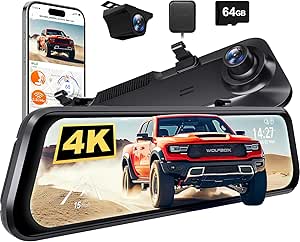 | Best Mirror-Mounted Display | Front video: 2160p at 30 fps | Rear video: 1080p at 25 fps | Screen: 12-inch mirror-mounted touchscreen | VIEW LATEST PRICE | See Our Full Breakdown |
| Ford Transit cargo van dash camera | Field of view | Connectivity | Front resolution | Rear resolution |
|---|---|---|---|---|
| VIOFO A229 Pro 4K HDR Front an | — | — | 4K 2160p | 2K 1440p |
| REDTIGER F7N Touch 4K Front an | 170 degrees front; 140 degrees rear | 5.8 GHz Wi-Fi; up to 20 MB/s download speed | 4K UHD 2160p | 1080p FHD |
| Four-Channel 1080p Dash Cam wi | 360 degrees listed; 160-degree real angle of view | USB and 5GHz Wi-Fi | — | — |
| WOLFBOX G850 Pro 4K Mirror Das | 170 degrees | USB and 5.8 GHz Wi-Fi | — | — |
More Details on Our Top Picks
VIOFO A229 Pro 4K HDR Front and Rear Dash Cam
The VIOFO A229 Pro earns my top spot because it pairs 4K front recording with 2K rear recording, giving it the most detailed two-camera setup in this group. Its Sony STARVIS 2 sensors and HDR on both cameras are useful when a Transit moves between bright streets, shaded loading areas, and poorly lit roads. This does not replace careful camera placement, but the stronger rear resolution is a meaningful advantage over the 1080p rear view on both the REDTIGER and WOLFBOX.
For a work van that spends time parked, the standout is buffered parking recording: the camera can save footage from before and after a detected event. That can capture more context than a clip that begins only once an impact is sensed. Three parking modes offer different approaches, while GPS logging and voice commands help with everyday operation. Compared with the four-channel camera, the VIOFO gives up side views; compared with the REDTIGER, it gives the rear camera more resolution and includes HDR on both channels.
The main catch is the setup bill of materials: the memory card and hardwire kit are not included. A hardwire kit is needed to use wired parking modes, and a Transit installation may call for careful cable routing to reach the rear window or chosen mounting point. The rear cable is 6 m, so I would measure the planned route rather than assume it will reach neatly in every long-wheelbase or custom configuration. Its supercapacitor is suited to power resilience in hot conditions, but this unit does not use a battery for operation after power is removed. For a buyer who values clear two-direction evidence over side coverage, those limitations are easier to accept than the lower rear resolution of the alternatives.
Pros:- Records 4K in front and 2K in the rear.
- STARVIS 2 sensors and HDR support recording across varied lighting.
- Buffered parking modes can capture footage before and after a detected event.
- Includes GPS logging, voice control, and 5GHz Wi-Fi.
Cons:- Memory card and hardwire kit are not included.
- The 6 m rear cable may require route planning in a long or customized Transit.
- Uses a supercapacitor rather than a battery.
Best for: Transit owners who want the strongest front-and-rear recording detail in this lineup and are prepared to source a memory card and hardwire kit separately.
Not ideal for: Buyers who want side-camera coverage, an included memory card, or an especially simple installation without additional wiring and accessories.
- Front resolution:4K 2160p
- Rear resolution:2K 1440p
- Image sensors:Sony IMX678 front; IMX675 rear
- HDR:Front and rear
- Parking modes:Auto Event Detection, Low Bitrate, Time Lapse
- Buffered recording:15 seconds before and 30 seconds after a detected event
- Connectivity and GPS:5GHz Wi-Fi; GPS, BEIDOU, GALILEO, GLONASS
- Rear cable:6 m
Our verdict“I recommend the A229 Pro for Transit drivers who prioritize high-detail front-and-rear evidence and accept the extra setup purchases.”
REDTIGER F7N Touch 4K Front and 1080p Rear Dash Cam with STARVIS 2
The REDTIGER F7N Touch is the more convenient two-camera pick for a buyer who wants the basics in the box. It records 4K in front and 1080p at the rear, and its included 128 GB card means one common setup item is already covered. That puts it ahead of the VIOFO for out-of-box storage, even though the VIOFO records more detail from behind and adds buffered parking capture. A Transit owner choosing between the two should decide whether included storage or stronger rear footage matters more.
Its 3.18-inch touchscreen gives drivers a direct way to adjust and review the camera, while voice control, built-in GPS, and 5.8 GHz Wi-Fi add convenience without requiring a separate logger. The stated 170-degree front and 140-degree rear fields of view help cover broad areas, though wide viewing angles do not guarantee that a license plate or distant detail will be legible. A G-sensor can lock footage when it detects an impact, which is useful for preserving a recording during a drive.
The important limitation is parking: parking monitoring requires a separate hardwire kit. Unlike the VIOFO, the supplied description does not call out buffered event capture, and the rear camera is 1080p rather than 2K. The REDTIGER also uses a windshield mount, so Transit owners should check that the display and front camera do not block their view or conflict with existing equipment. I would choose it over the four-channel unit when two-camera simplicity and the included card beat side coverage; I would skip it if the van needs active parked-vehicle recording without extra wiring.
Pros:- Records 4K front and 1080p rear video.
- Includes a 128 GB memory card.
- Built-in GPS, voice control, and touchscreen controls are included.
- G-sensor can lock footage after an impact.
Cons:- Parking monitoring requires a separately purchased hardwire kit.
- Rear recording is 1080p, below the VIOFO’s 2K rear resolution.
- Does not provide the four-direction coverage of the four-channel camera.
Best for: Transit drivers looking for a dual-camera system with 4K front recording, built-in GPS, touchscreen controls, and an included 128 GB card.
Not ideal for: Owners who need higher-resolution rear footage, side views, or parking monitoring without buying a hardwire kit.
- Front resolution:4K UHD 2160p
- Rear resolution:1080p FHD
- Field of view:170 degrees front; 140 degrees rear
- Display:3.18-inch LCD touchscreen
- Connectivity:5.8 GHz Wi-Fi; up to 20 MB/s download speed
- GPS:Built-in
- Included memory card:128 GB
- Parking monitoring:Requires separate hardwire kit
Our verdict“I would choose the F7N Touch for a practical, screen-controlled dual setup with storage included, rather than for advanced parking capture or maximum rear detail.”
Four-Channel 1080p Dash Cam with 128GB Card
This four-channel camera fills the clearest gap in the lineup: it records front, rear, left, and right. For a Transit used on job sites, deliveries, or crowded streets, side footage can help document activity that a conventional front-and-rear system misses. It is the only option here built around coverage in four directions, so I rank it above the others for owners who value a broader record of the van’s surroundings more than maximum resolution.
The tradeoff is that every channel is listed as 1080p, not the 4K front video available from the VIOFO, REDTIGER, and WOLFBOX. The stated field of view is 360 degrees, with a real angle of view listed at 160 degrees; camera positioning and the van’s interior layout will affect what each lens can see. Its adjustable front cameras, night vision, and WDR are helpful features, but buyers should plan where the left and right views will sit and what parts of the cabin or windows may obstruct them. This is a more involved coverage choice than simply adding a rear camera.
The included 128 GB microSD card, 5GHz Wi-Fi, app control, loop recording, and incident locking make it a reasonably equipped package for regular use. However, GPS is an optional logger, and parking mode needs an optional ACC hardwire kit. The maximum listed storage is 256 GB, which is less flexible than setups that support larger cards. Compared with the REDTIGER, it sacrifices front detail and a built-in GPS but adds two side views; compared with the WOLFBOX, it records the left and right sides instead of making the rearview mirror its main interface. I would skip it if a clean two-camera install or high-resolution plate detail is the main goal.
Pros:- Records front, rear, left, and right views.
- Includes a 128 GB microSD card.
- Night vision and WDR support varied lighting conditions.
- Loop recording and incident locking help retain important clips.
Cons:- All four channels record at 1080p, below the front resolution of the other picks.
- GPS logger and ACC hardwire kit are sold separately.
- Maximum supported storage is 256 GB.
Best for: Transit owners who need side views as well as front and rear footage, especially for work in busy loading areas or tight parking spaces.
Not ideal for: Drivers who put 4K front detail, built-in GPS, simple installation, or parking monitoring without extra hardware ahead of all-around coverage.
- Channels:Four: front, rear, left, and right
- Resolution:1080p
- Field of view:360 degrees listed; 160-degree real angle of view
- Frame rate:30 FPS
- Display:3-inch LCD
- Connectivity:USB and 5GHz Wi-Fi
- Included storage:128 GB microSD; supports up to 256 GB
- GPS and parking:Optional GPS logger; parking mode requires optional ACC hardwire kit
Our verdict“I recommend this model when side coverage is the priority, but not when the sharpest front footage or simplest wiring matters more.”
WOLFBOX G850 Pro 4K Mirror Dash Cam
The WOLFBOX G850 Pro is the alternative for a Transit driver who prefers a large rearview display rather than a small windshield-mounted screen. Its 12-inch mirror unit displays front and rear views, and the camera records 2160p front video with 1080p rear video. That front resolution puts it in the same general class as the REDTIGER, but the WOLFBOX trades the REDTIGER’s conventional windshield form for a mirror-mounted interface. I would put this first for display preference, not for the strongest overall evidence package.
It includes GPS, voice control, touchscreen operation, and a 64 GB card, plus ADAS and blind-spot alerts. These features can make the screen more involved than the VIOFO’s simpler dual-camera setup, but alerts should be treated as driver aids rather than substitutes for checking the road and mirrors. Its 170-degree field of view, WDR/HDR, night vision, and G-sensor round out the feature set. Compared with the four-channel camera, it offers a prominent mirror display and higher-resolution front recording, but it does not record separate left and right views.
Rear footage is capped at 1080p at 25 fps, below the VIOFO’s 2K rear recording, and the included 64 GB card offers less storage than the cards supplied with the REDTIGER and four-channel unit. It supports cards up to 256 GB, but additional storage is a separate purchase. Mirror mounting may also suit some Transit cabins better than others; owners should check the existing mirror, mounting arrangement, and sightline before choosing this format. The listed parking monitor is appealing, though buyers should confirm the power and wiring requirements for their chosen parking functions. I would pass if rear video detail or four-way coverage is more important than the large mirror screen.
Pros:- Records front video at 2160p and rear video at 1080p.
- Large 12-inch mirror-mounted touchscreen offers a broad viewing display.
- Includes GPS, voice control, ADAS, and blind-spot alerts.
- Includes a 64 GB memory card.
Cons:- Rear video is 1080p, lower than the VIOFO’s 2K rear recording.
- The included 64 GB card is smaller than the cards included with two other picks.
- Mirror mounting may not suit every Transit cabin or existing mirror setup.
Best for: Transit drivers who want a large mirror-mounted live display, front 4K recording, and built-in driver alerts and GPS.
Not ideal for: Owners who want 2K rear footage, side-camera coverage, more included storage, or a traditional separate dash-camera display.
- Front video:2160p at 30 fps
- Rear video:1080p at 25 fps
- Screen:12-inch mirror-mounted touchscreen
- Field of view:170 degrees
- Connectivity:USB and 5.8 GHz Wi-Fi
- Included memory card:64 GB
- Maximum supported memory:256 GB
- Listed features:ADAS, blind-spot detection, GPS, G-sensor, loop recording, parking monitor, night vision, voice control
Our verdict“I would choose the G850 Pro for its mirror-style screen and driver alerts, not for the highest rear resolution or broadest camera coverage.”
How We Picked
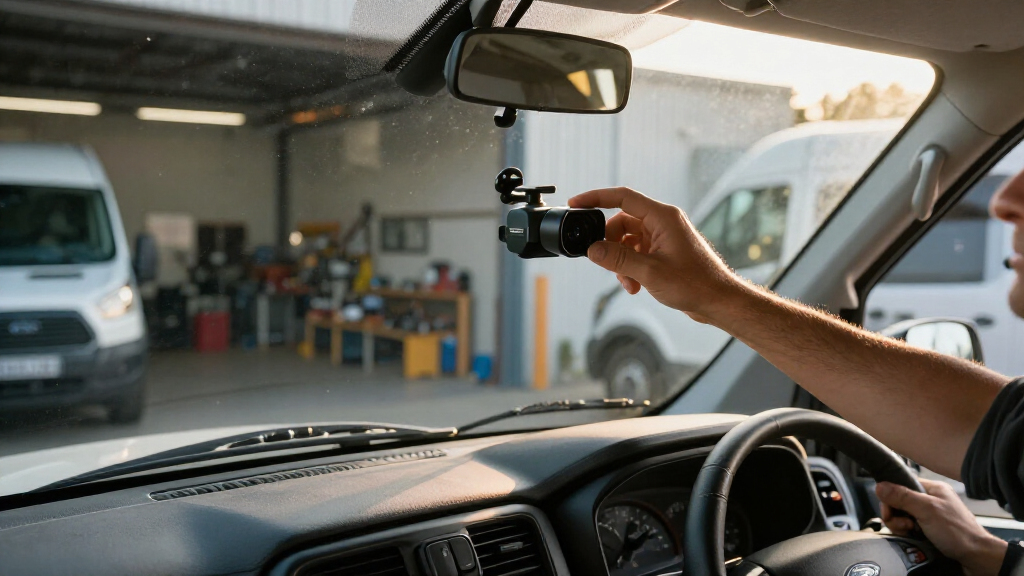
I compared these cameras as Ford Transit cargo van dash cameras, not as general-purpose car accessories. I gave weight to the number of useful viewing directions, front and rear recording detail, parking features, and how much a buyer must add before the system can do its advertised job. A van can spend long periods parked, work in tight yards, and carry cargo that limits rear visibility, so coverage and installation needs matter alongside resolution.
I also separated included capabilities from accessory-dependent ones. The REDTIGER includes a 128 GB card, while the VIOFO and four-channel model list a card as included only where stated; the VIOFO’s description says its card is not included. Parking monitoring requires separate hardwire equipment on the REDTIGER and four-channel unit, while the VIOFO offers buffered parking modes but does not include its hardwire kit. The WOLFBOX lists a parking monitor, but its supplied details do not establish that every parking function is ready without vehicle-specific wiring.
My ranking favors the VIOFO for its unusually strong dual-camera resolution and parking-event recording, then the REDTIGER for a practical combination of 4K front footage, a useful included card, and straightforward screen controls. The four-channel unit ranks higher for owners who value surrounding coverage over finer detail. The WOLFBOX remains a distinct fit for mirror-display fans, but its mirror format and lower-resolution rear camera make it less broadly suited than the other picks for a Transit-specific evidence setup. I have not treated any listed feature as proof of compatibility with every Transit model year or body configuration.
Factors to Consider When Choosing Ford Transit Cargo Van Dash Cameras
I would start with the type of evidence the Transit needs to capture, then check installation and power requirements. The number of channels is not a minor detail in a cargo van: a rear camera can document activity behind the vehicle, but it cannot record a side approach.Choose coverage before choosing resolution
Front-and-rear coverage is the straightforward choice for many drivers. It records the road ahead and activity behind the van, while keeping the system to two cameras. The VIOFO has the strongest stated dual-camera resolution here, with 4K front and 2K rear footage. The REDTIGER and WOLFBOX record 4K or 2160p in front but use 1080p rear cameras.
If side incidents are a recurring concern, the four-channel model makes a different case: it records front, rear, left, and right, but each channel is 1080p. More cameras also mean more placement decisions and a more involved install. Before choosing, decide whether you need extra views of the van’s sides or clearer footage from the two most common directions. A wider field of view alone does not guarantee useful detail at a distance.
Plan for Transit-specific cable routing
A camera’s listed rear cable length is not the same as its usable reach after routing through a vehicle. The VIOFO specifies a 6 m rear cable; I would measure the path from the front unit, along the headliner and body, to the intended rear mounting point before committing. Transit wheelbase, roof height, interior trim, bulkhead placement, and rear door configuration can all change the route.
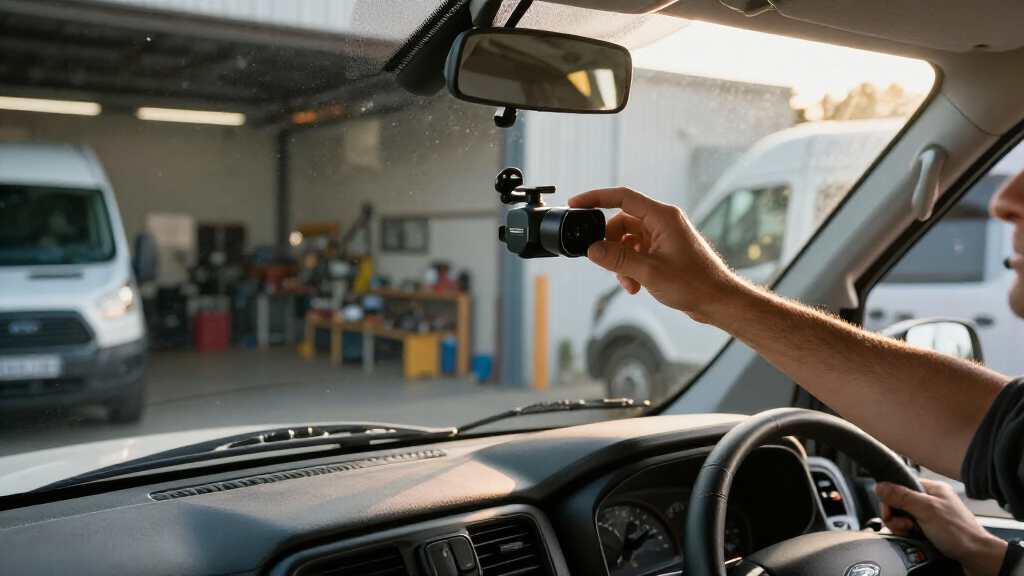
Also check windshield visibility and mounting position. The REDTIGER uses a windshield mount, the four-channel model lists a dashboard mount, and the WOLFBOX attaches at the rearview mirror. A cargo van may have an existing mirror, partition, or equipment that affects what fits and what the driver can see. Do not assume a mount or cable route will work identically across Transit model years and body styles.
Distinguish driving recording from parking monitoring
Loop recording and an impact-triggered G-sensor can protect useful driving footage, but parking recording has separate power needs. The REDTIGER explicitly requires a separate hardwire kit for parking monitoring. The four-channel camera needs an optional ACC hardwire kit for parking mode, and its GPS logger is also optional. The VIOFO has buffered parking modes, but its hardwire kit is not included.
The WOLFBOX lists a parking monitor, but the supplied specifications do not spell out the complete wiring requirements for every mode. I would verify the required power connection before relying on it for a parked Transit. Hardwiring should be planned around the van’s electrical system and installation guidance; if you are unsure, a qualified installer can help avoid an unsuitable connection or messy cable run.
Check card capacity and recording habits
Included storage varies: the REDTIGER and four-channel camera include 128 GB cards, while the WOLFBOX includes 64 GB. The VIOFO does not include a memory card. The four-channel model supports up to 256 GB, and the WOLFBOX lists the same maximum; check each product’s supported card requirements before buying an upgrade. Higher-resolution and multi-channel recording can fill a card more quickly than a basic single-camera setup.
Loop recording helps the camera reuse space by replacing older footage, while impact locks may reserve selected clips. If the van makes long daily routes or records four channels, develop a routine for checking important clips and managing storage. An included card makes startup easier, but it does not remove the need to confirm compatibility or maintain access to footage that must be kept.
Treat driver alerts as assistance, not evidence
The WOLFBOX stands apart by listing ADAS and blind-spot alerts, while the other options focus more directly on camera coverage, GPS, or recording controls. Alerts can add information for a driver, but they are not a replacement for mirrors, a direct visual check, or safe driving habits. Their usefulness depends on installation, vehicle geometry, and the conditions around the van.
For evidence and route context, GPS logging may matter more. The VIOFO supports several satellite systems, and the REDTIGER and WOLFBOX list built-in GPS. By contrast, the four-channel unit requires a separately sold GPS logger. Consider whether you want location data attached to recordings or whether your main priority is seeing more of the vehicle’s surroundings.
Match the interface to how you work
A touchscreen and voice control can make camera settings easier to reach, but drivers should avoid adjusting equipment while moving. The REDTIGER and WOLFBOX provide touchscreens; the four-channel camera has a 3-inch display and app control; the VIOFO offers voice commands and 5GHz Wi-Fi. A mirror display is a different everyday experience from a compact windshield unit, so think about whether a large screen helps or distracts in your Transit cabin.
App access and wireless transfer can help when a driver needs to locate or share a clip, but wireless convenience should not replace checking that the camera is recording correctly. For a fleet, consider who will retrieve footage, how clips will be saved, and whether each driver can identify the camera controls. A simpler system may be the better fit if multiple people use the same van.
Frequently Asked Questions
Which of these cameras gives a Ford Transit the broadest coverage?
The four-channel 1080p camera is the only model in this comparison that records front, rear, left, and right views. That makes it the broadest coverage option for a Transit, but it records at 1080p across its channels and needs optional accessories for GPS and parking mode. If you want fewer cameras and higher-resolution front-and-rear footage, the VIOFO is a stronger fit.
Which option has the clearest stated rear-camera resolution?
The VIOFO A229 Pro has the clearest stated rear-camera resolution in this group at 2K 1440p. The REDTIGER and WOLFBOX rear cameras record at 1080p, while the four-channel unit records 1080p across all its cameras. Rear detail can still depend on the camera’s position, lighting, glass, and the distance to a subject.
Do these dash cameras include everything needed for parking recording?
No. The REDTIGER needs a separate hardwire kit for parking monitoring, and the four-channel camera needs an optional ACC hardwire kit for parking mode. The VIOFO offers buffered parking modes but does not include its hardwire kit. The WOLFBOX lists a parking monitor, but its described specifications do not fully establish the wiring needed for every parking function, so check the installation requirements before relying on it.
Which models include a memory card?
The REDTIGER includes a 128 GB card, the four-channel camera includes a 128 GB microSD card, and the WOLFBOX includes a 64 GB card. The VIOFO listing specifies that a memory card is not included. Check the camera’s supported card type and capacity before adding storage, and remember that recording across more channels can use available space faster.
Will one of these cameras fit every Ford Transit?
I would not assume so. Transit model year, wheelbase, roof height, cab layout, bulkhead, mirror configuration, and rear-camera mounting point can affect fit and cable routing. The VIOFO specifies a 6 m rear cable, while the other supplied descriptions do not give the same rear cable-length detail. Measure the planned route, check visibility and mount placement, and confirm product compatibility before installation.
Conclusion
For most buyers focused on evidence from the road ahead and behind, I would choose the VIOFO A229 Pro for its 4K front and 2K rear recording, especially if buffered parking footage is useful and extra setup purchases are acceptable. Choose the REDTIGER F7N Touch if you want a more straightforward dual-camera start with a 128 GB card and built-in GPS, while accepting a 1080p rear view and a separate hardwire kit for parking monitoring.
If your Transit needs views of the sides, the four-channel camera is the clear match, provided you are comfortable with 1080p recording and optional GPS and parking accessories. Choose the WOLFBOX G850 Pro if a large mirror-mounted display and driver alerts matter more than rear resolution or side coverage. Before ordering any of them, I would verify camera placement, cable reach, storage needs, and the power setup against the specific Transit configuration.