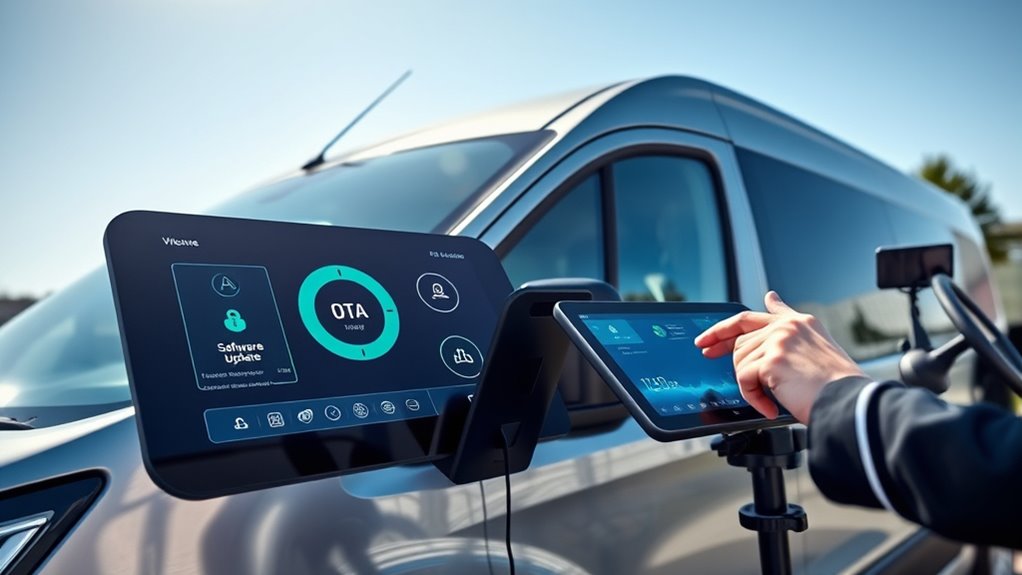

With OTA software updates for your E‑Transit, you can easily keep your vehicle current without visiting a dealership. Updates are delivered automatically over a secure wireless connection, often downloaded in the background while parked or during short stops. You’ll receive notifications when updates are ready, and you can schedule them at your convenience. This seamless process guarantees your vehicle stays secure, performs at its best, and gets new features, with more details ahead if you continue exploring.
Listen free for 30 days with Audible
Thousands of audiobooks and originals — cancel anytime.
As an affiliate, we earn on qualifying purchases.
Key Takeaways
- E‑Transit can receive software updates remotely via OTA technology, eliminating the need for dealership visits.
- Updates are securely downloaded and installed automatically, often in the background during vehicle stops or overnight.
- OTA updates improve vehicle performance, safety, security, and add new features without manual intervention.
- The process ensures updates are authenticated and encrypted, maintaining vehicle security and data integrity.
- Regular OTA updates help optimize vehicle longevity, driver assistance features, and compatibility with connected services.

Keeping your Ford E‑Transit up to date is easier than ever with software updates and Over‑the‑Air (OTA) technology. Instead of visiting a dealership or manually installing updates, your vehicle can now receive improvements directly through a wireless connection. This convenience means you can keep your van running smoothly, securely, and with the latest features without interrupting your day.
When a new update becomes available, your E‑Transit will notify you, or you can check manually through the vehicle’s infotainment system. Once you approve the update, it downloads seamlessly in the background, often while you’re parked or even during short stops, and installs automatically. This process minimizes downtime and ensures your vehicle stays current with the newest enhancements.
OTA technology leverages your vehicle’s built-in connectivity to deliver software patches, feature upgrades, and security improvements. Unlike traditional methods that require a visit to the dealership, OTA updates happen behind the scenes, often without you even noticing. This means your E‑Transit can receive critical safety updates, bug fixes, and performance improvements swiftly, reducing potential vulnerabilities and enhancing your driving experience.
Plus, OTA updates are designed to be safe and reliable, with multiple layers of security protecting the process from unauthorized access. Ford’s system ensures that updates are authenticated and encrypted, so you can trust that the information coming into your vehicle is legitimate and secure.
Keeping your E‑Transit up to date isn’t just about convenience—it’s also about maximizing your vehicle’s longevity and capability. Software improvements can optimize battery management, enhance navigation accuracy, refine driver-assist features, and even add new functionalities.
Ford’s OTA platform constantly evolves, allowing your vehicle to benefit from the latest innovations without the need for costly service visits. Additionally, regular updates help maintain compatibility with other connected devices and services, ensuring your fleet operates efficiently and reliably.
You don’t need to be tech-savvy to manage these updates. The vehicle’s interface guides you through the process, and notifications keep you informed of pending updates. If you prefer, you can schedule updates for a specific time, such as overnight, so your workday isn’t disrupted.
Ford’s approach to OTA technology emphasizes ease of use, ensuring you stay focused on your work while your vehicle takes care of itself. Overall, this system empowers you to keep your E‑Transit at its best, delivering peace of mind and continuous improvements that enhance your productivity and driving experience. The importance of software updates cannot be overstated, as they play a vital role in maintaining optimal vehicle performance.
Ford E-Transit OTA software update kit
As an affiliate, we earn on qualifying purchases.
As an affiliate, we earn on qualifying purchases.
Frequently Asked Questions
How Long Does a Typical OTA Update Take?
A typical OTA update usually takes about 30 minutes to an hour, depending on the size of the update and your vehicle’s internet connection.
During this time, your E‑Transit might be temporarily unavailable, so it’s best to schedule updates when you’re not in a rush.
Make certain your vehicle is parked and connected to a stable Wi-Fi or cellular network to guarantee a smooth process.
Can I Delay or Skip Scheduled Updates?
Yes, you can delay or skip scheduled updates on your E‑Transit. You simply need to access the vehicle’s settings through the dedicated app or onboard system.
From there, you can postpone updates to a more convenient time or choose to skip them altogether. Keep in mind, delaying updates might affect vehicle performance or security, so it’s best to update when possible.
Are OTA Updates Automatically Installed or Do I Need to Approve?
Think of OTA updates like a gentle rain watering your garden. They’re automatically installed, but you have control.
You don’t need to approve each one; your vehicle’s system handles it seamlessly. However, if you prefer, you can set preferences to delay or approve updates manually.
This way, you stay in the driver’s seat, ensuring updates happen on your schedule without disrupting your routine.
What Happens if an Update Fails During Installation?
If an update fails during installation, it typically reverts to the previous stable version automatically. You might see a notification, but you won’t need to take immediate action.
The system is designed to recover smoothly, preventing any disruption to your vehicle’s operation. If issues persist, you should contact support or visit a service center to ensure your E-Transit gets properly updated and stays secure.
Is There a Way to Revert to a Previous Software Version?
Yes, you can revert to a previous software version if needed. Typically, the system stores backup versions during updates, allowing you to select and restore an earlier version through the vehicle’s software management settings.
To do this, follow the instructions in your user manual or contact support. Make sure to back up current data before reverting, and only perform this if you’re confident in your technical skills or seek professional help.
As an affiliate, we earn on qualifying purchases.
Conclusion
Staying current with software updates and OTA on your E‑Transit keeps your vehicle running smoothly and efficiently. Did you know that vehicles with regular OTA updates can improve their performance by up to 15%? This means fewer trips to the shop and more reliable service for you. Embrace these updates to maximize your E‑Transit’s potential, save time, and enjoy a better driving experience every day. Staying updated truly makes a difference!
As an affiliate, we earn on qualifying purchases.
As an affiliate, we earn on qualifying purchases.
Fall Picks
fall essentials
As an affiliate, we earn on qualifying purchases.